Companies
This guide shows how to find and use the Companies area in RAAMP so you can set up and manage organizations correctly—whether as management companies, accounting entities, or just contacts. It helps you locate the Companies page in the navigation menu and explains the overview and configuration options so your records and permissions are accurate and consistent.
How to Navigate to Companies
Tip: Companies can be configured as management companies, accounting entities, or simply a company contact.
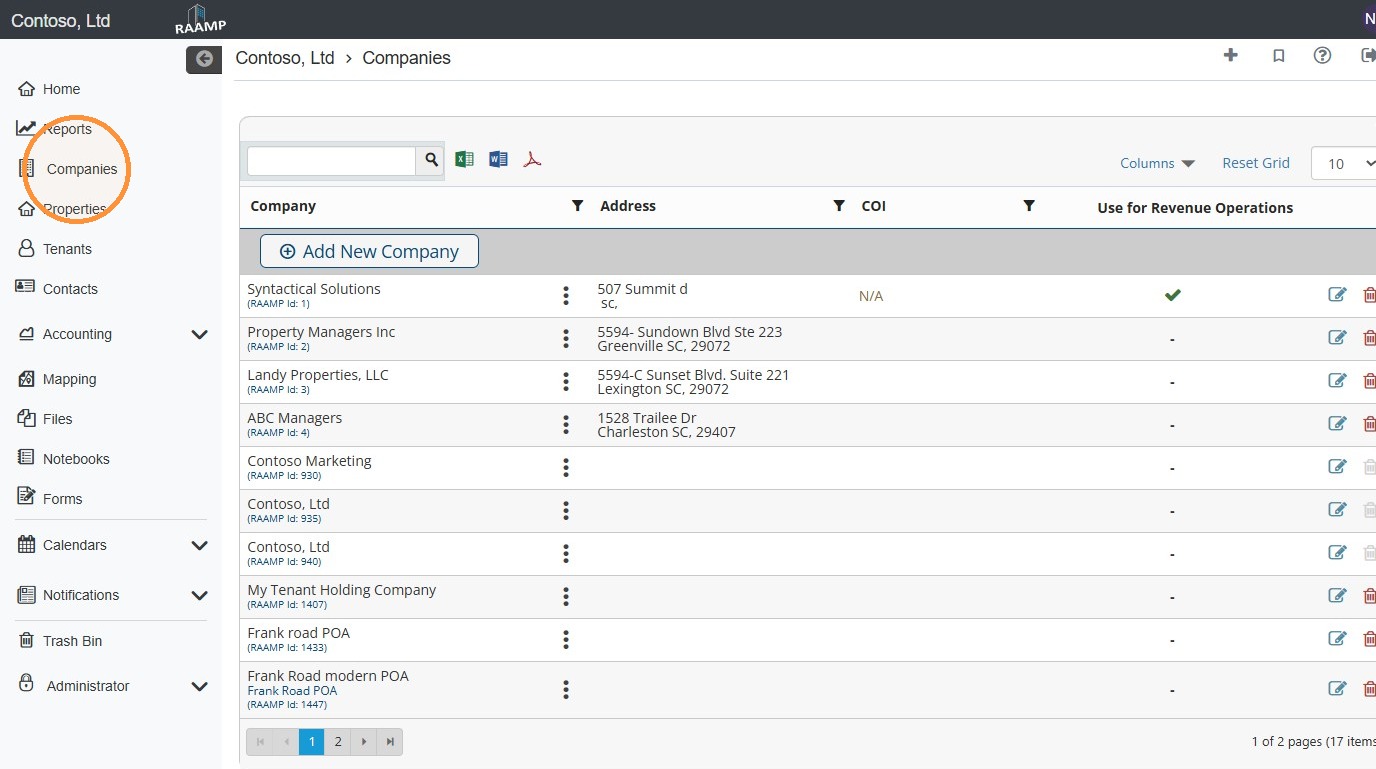
1. From the navigation menu, select Companies.
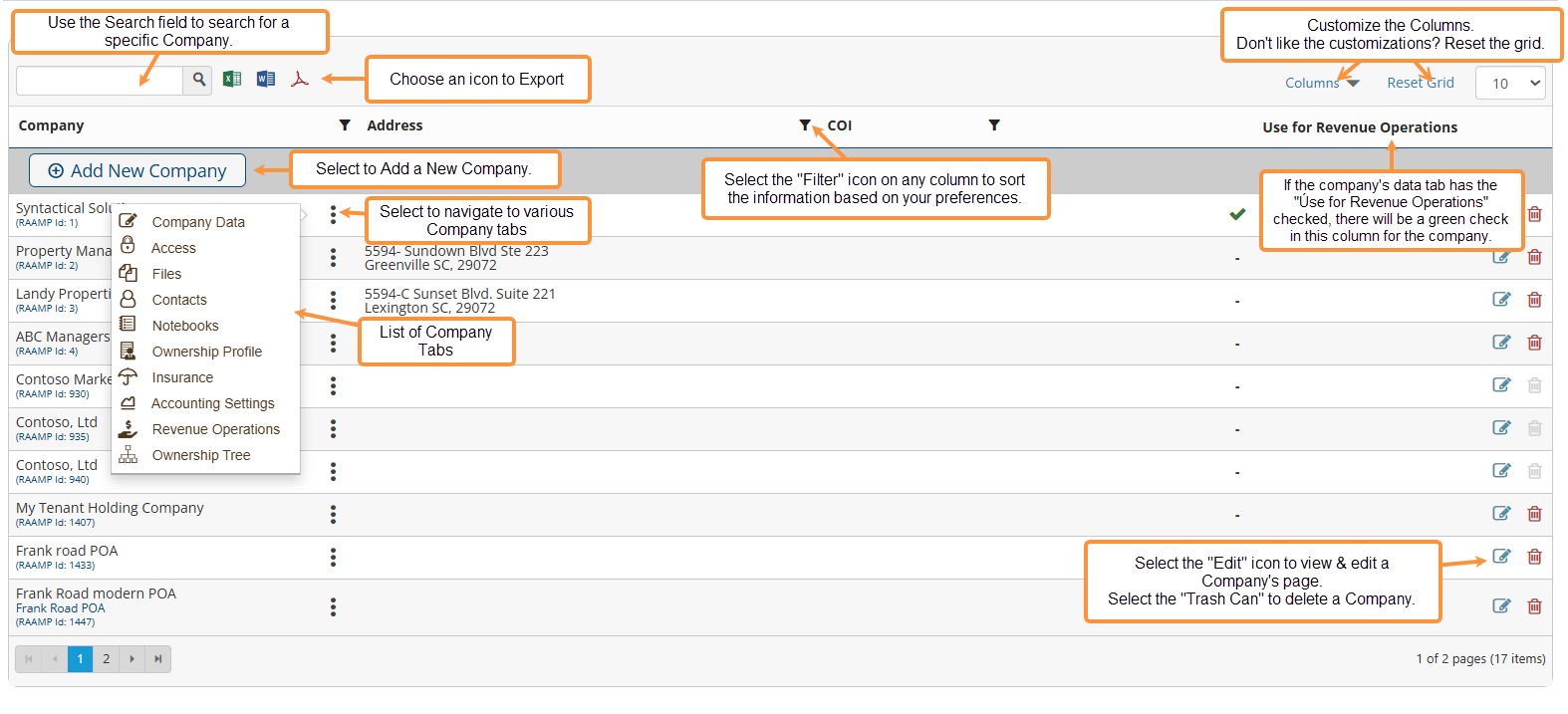
2. Companies Overview
Related Tutorials: