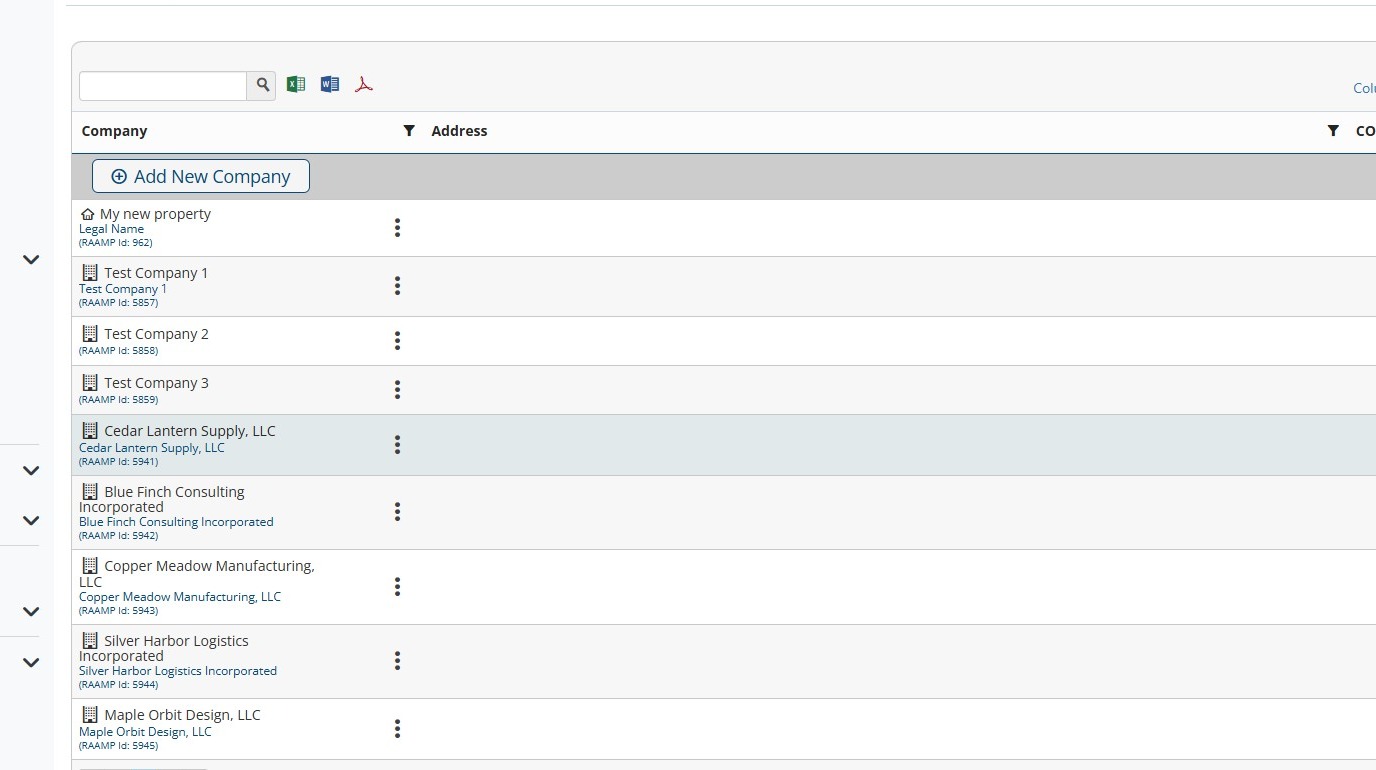
How to Bulk Import Companies
This guide shows how to quickly and safely add many companies to RAAMP using a downloadable Excel template and bulk import. It highlights required fields, formatting rules (including address and term matching), and how to avoid duplicate records by checking existing entries. Follow the upload steps and perform a spot check to confirm successful imports.
How to Download the Template
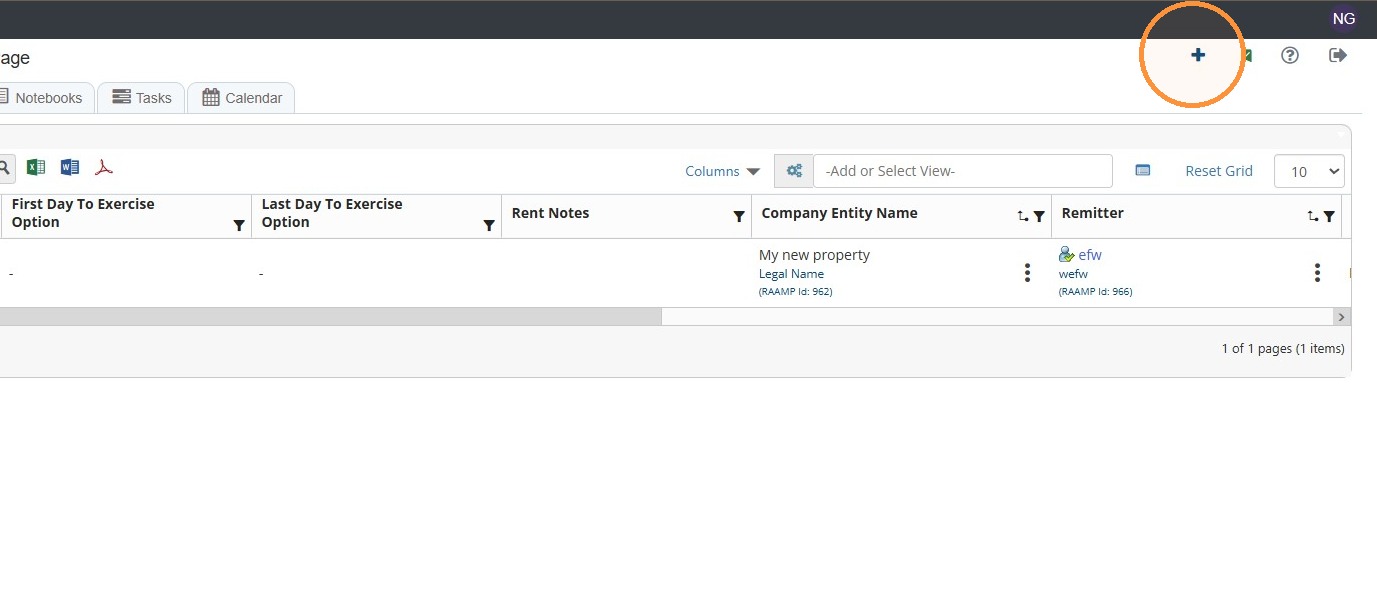
1. From Home, select the + icon in the top right corner of the screen.
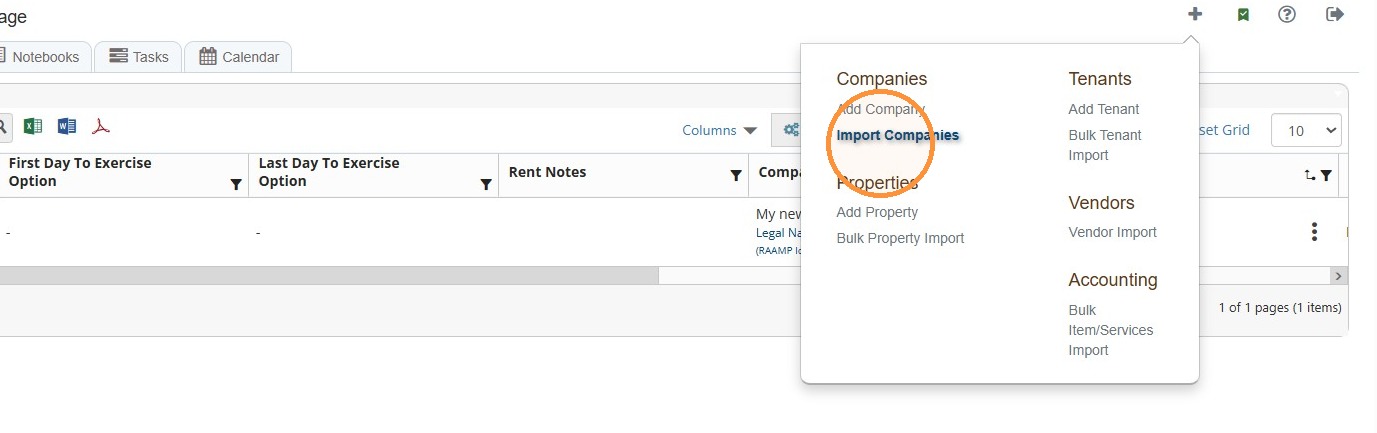
2. Select Import Companies.
3. Select Download Excel Template.
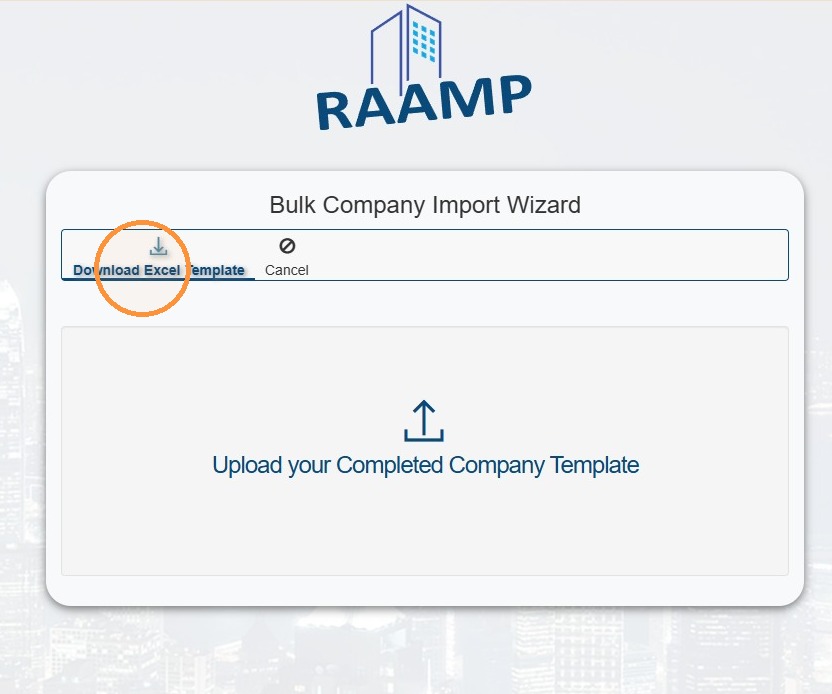
4. You can access the template in your computer's Downloads folder.
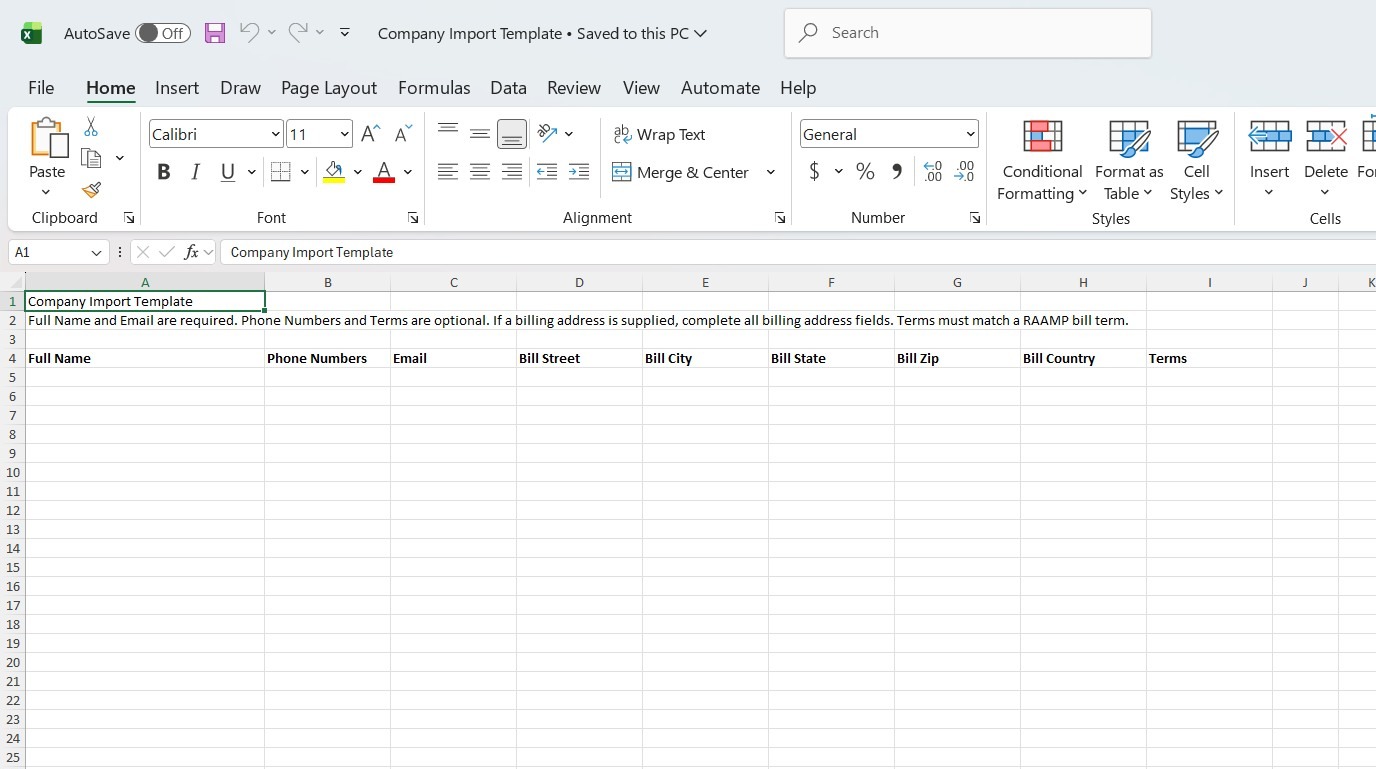
Format your company data to match the template.
NOTE:
- Full Name and Email are required.
- Phone Numbers and Terms are optional.
- If a billing address is supplied, complete all billing address fields.
- Terms must match a RAAMP bill term.
How to Import Template
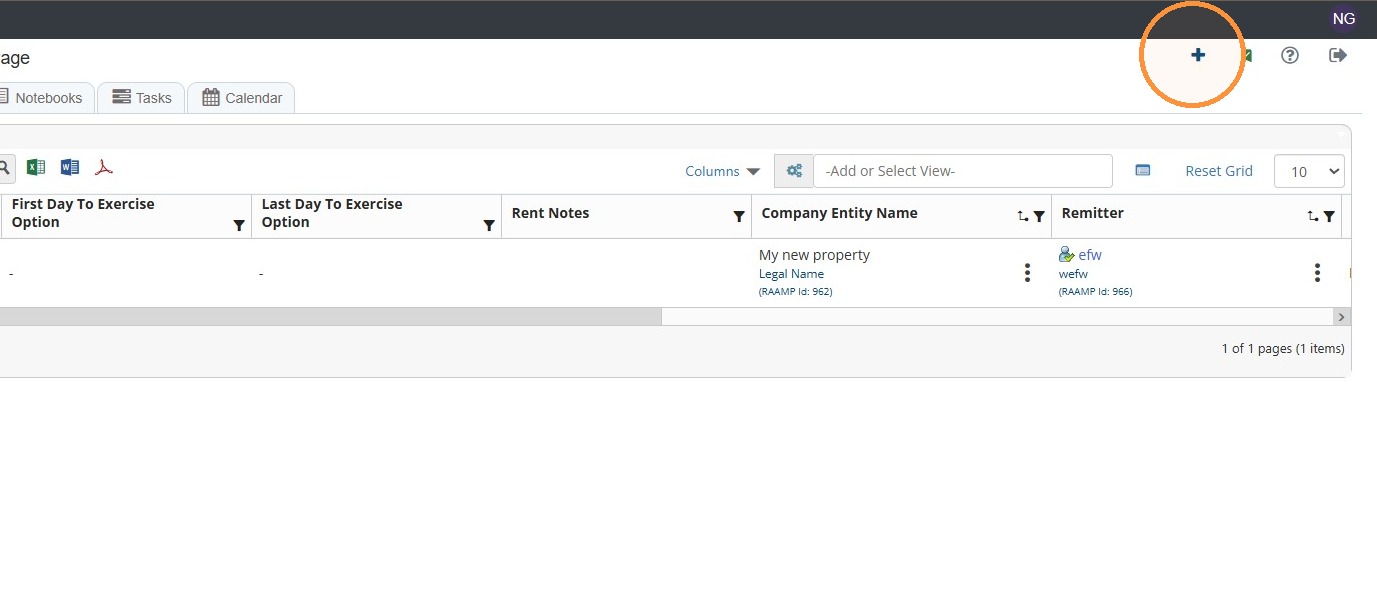
5. When you are done cleaning up and formatting the company template, select the + icon in the top right corner of the screen.
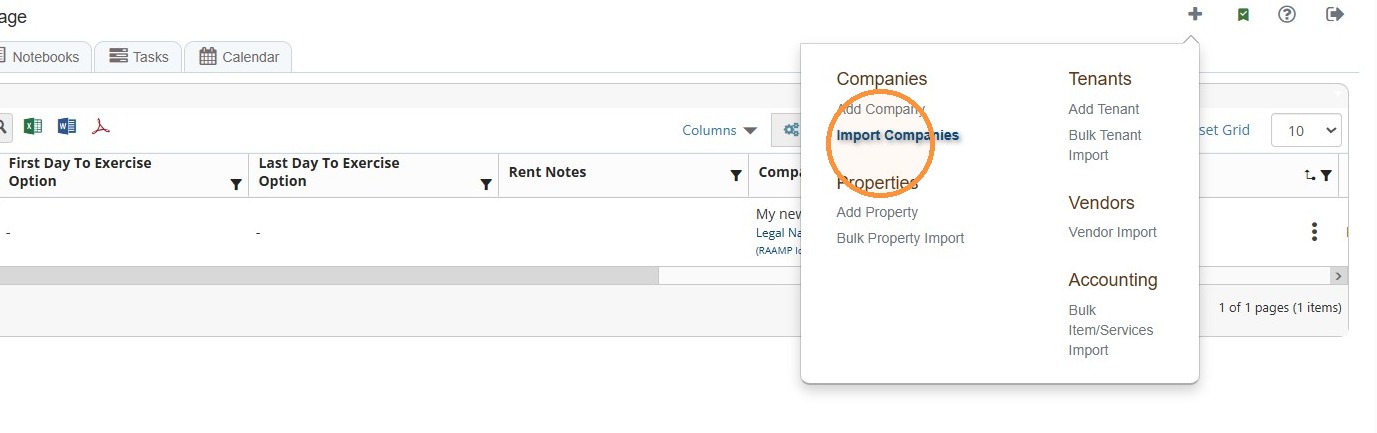
6. Select Import Companies.
7. Select Upload your Completed Template.
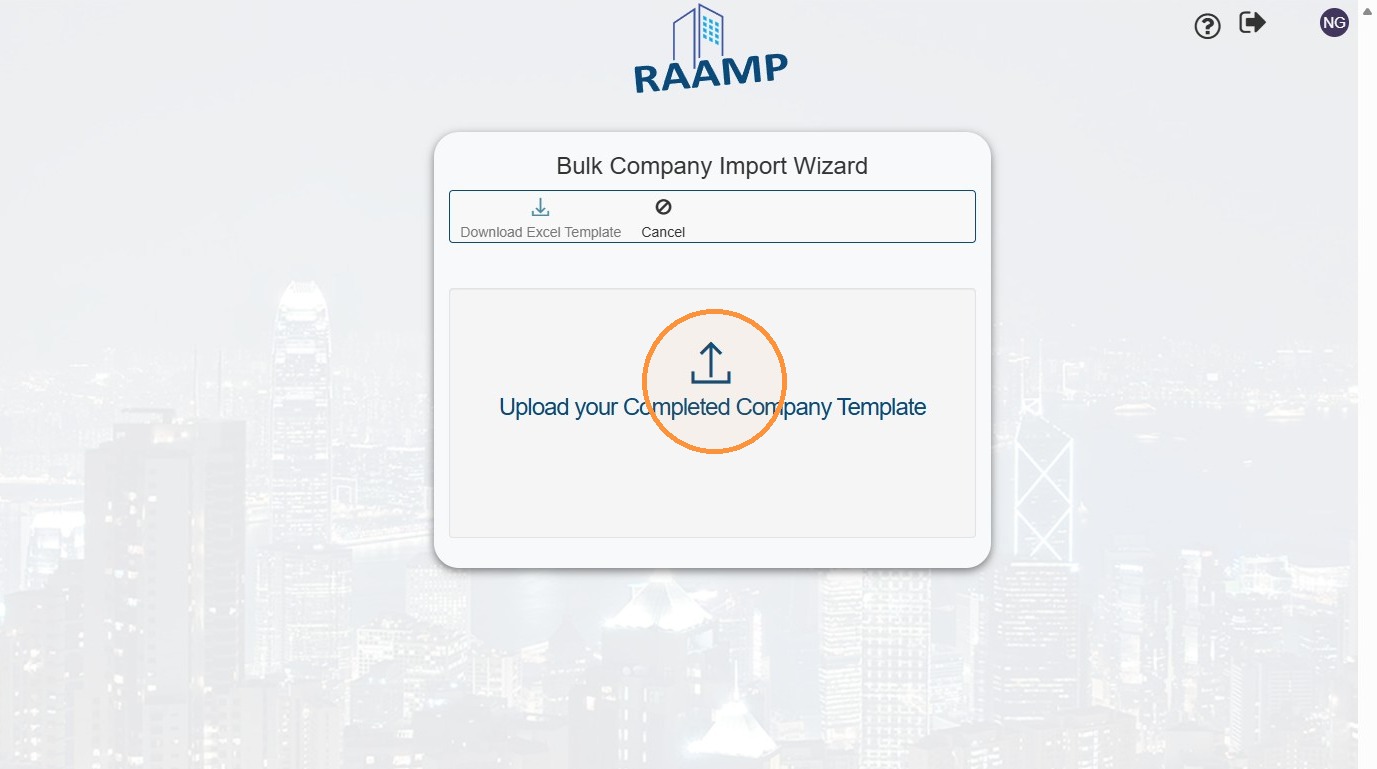
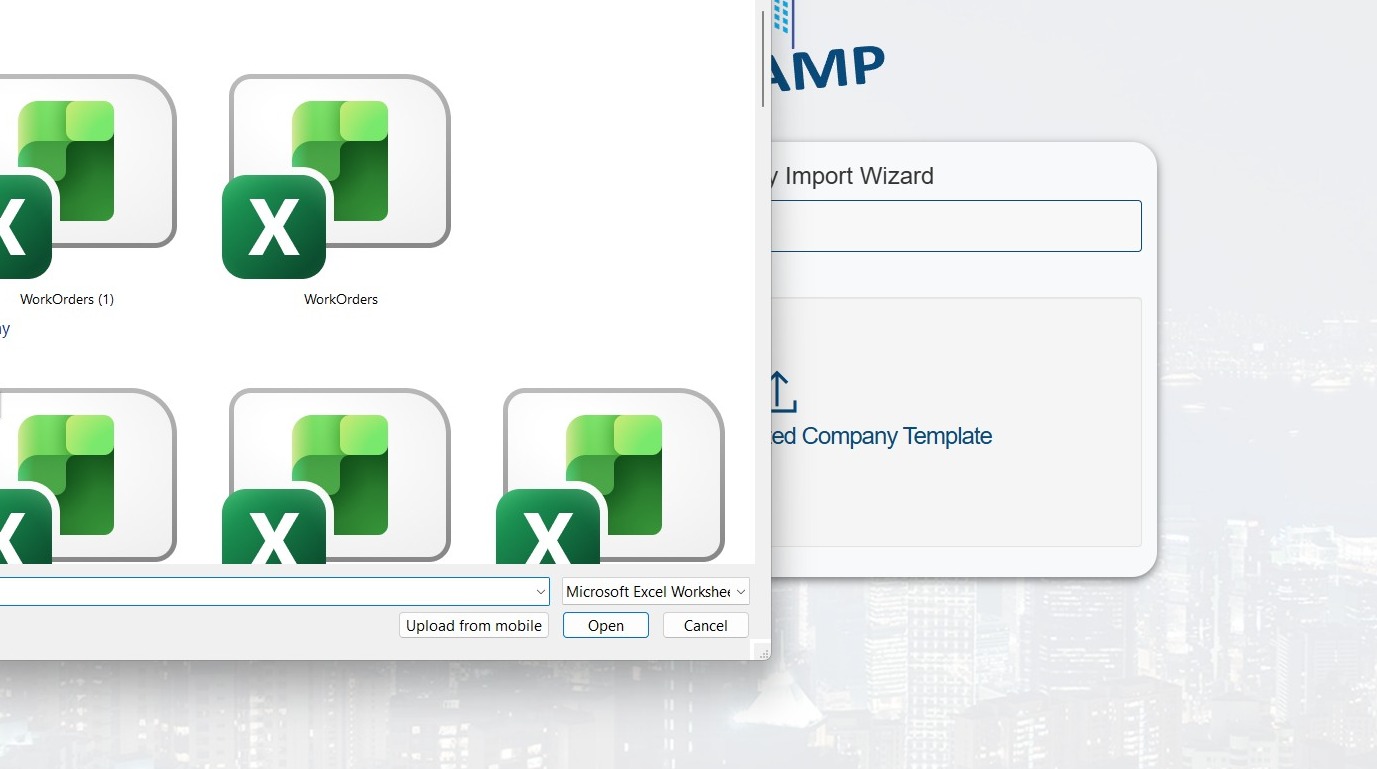
8. Select the file from your computer.
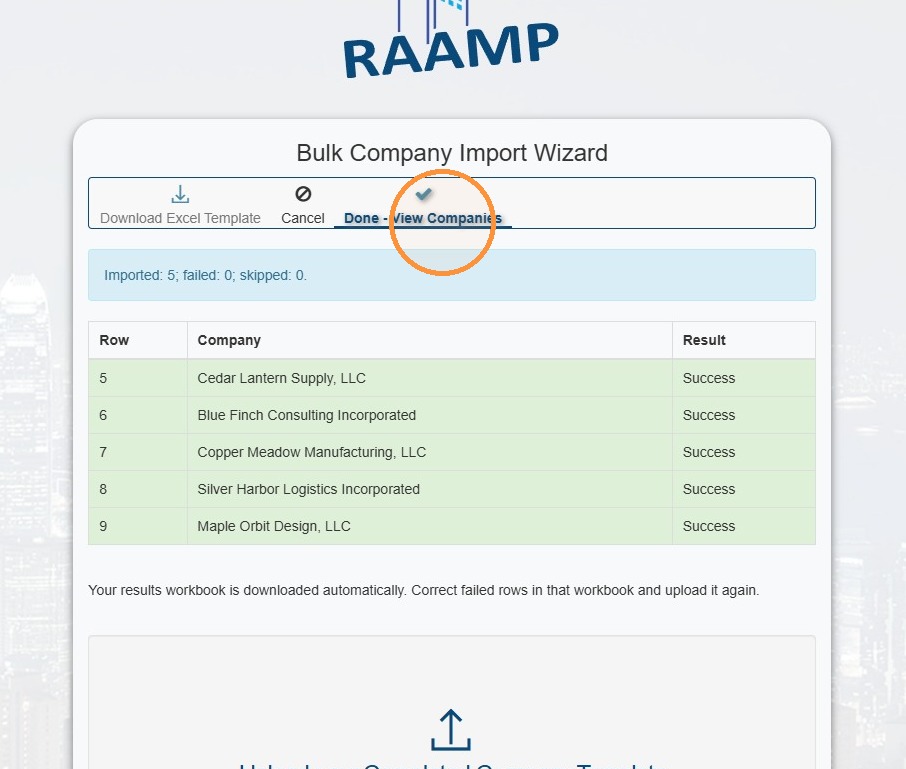
9. Once processed, you'll receive a success/failed message > Select Done - View Companies.
10. Success check: Spot-check several companies for names, phone numbers, emails, addresses, and/or bill terms.