How to Enable Payables Approvals
This guide explains how to turn on payables approval and set approval rules so bills can't be approved without the right oversight. It shows where to find Accounting Settings for companies, properties, and families, how to enable "Require Payables Approval," and how to create, edit, or delete bill approval breakpoints with internal and external approvers. Follow it to enforce approval thresholds and prevent admins from approving unchecked payables.
How to Navigate to Company Accounting Settings
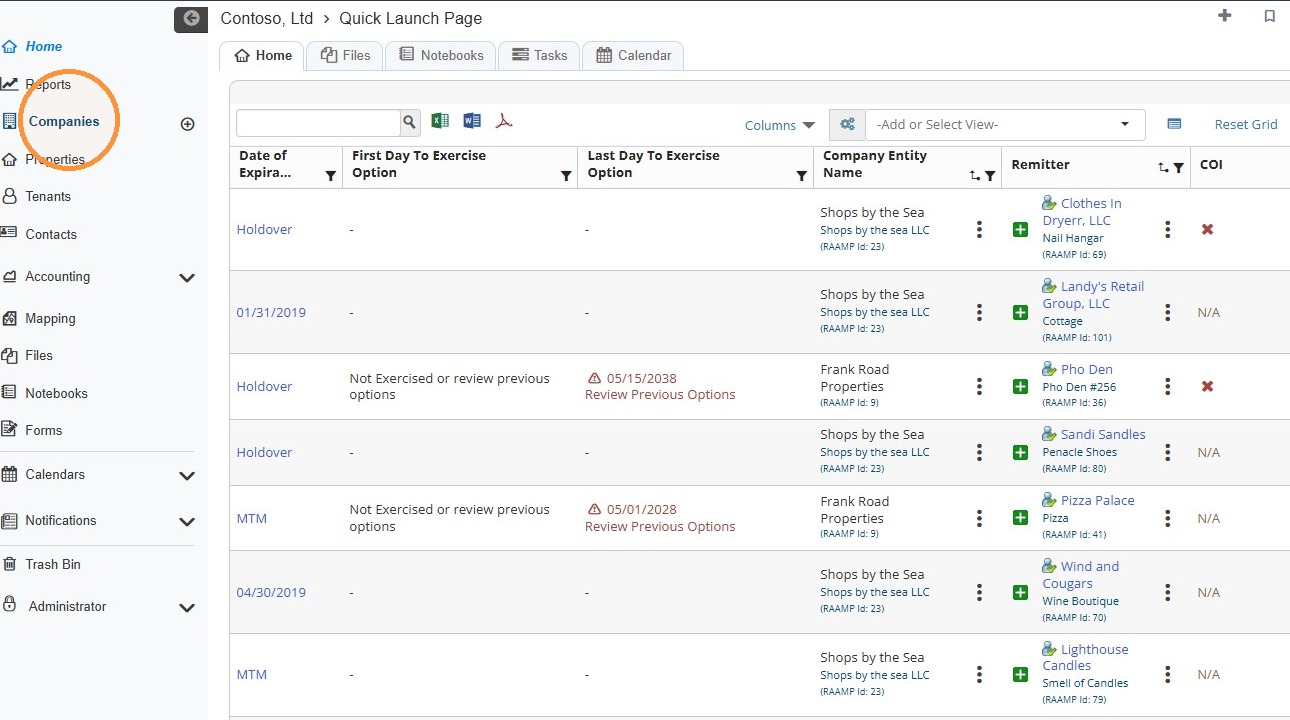
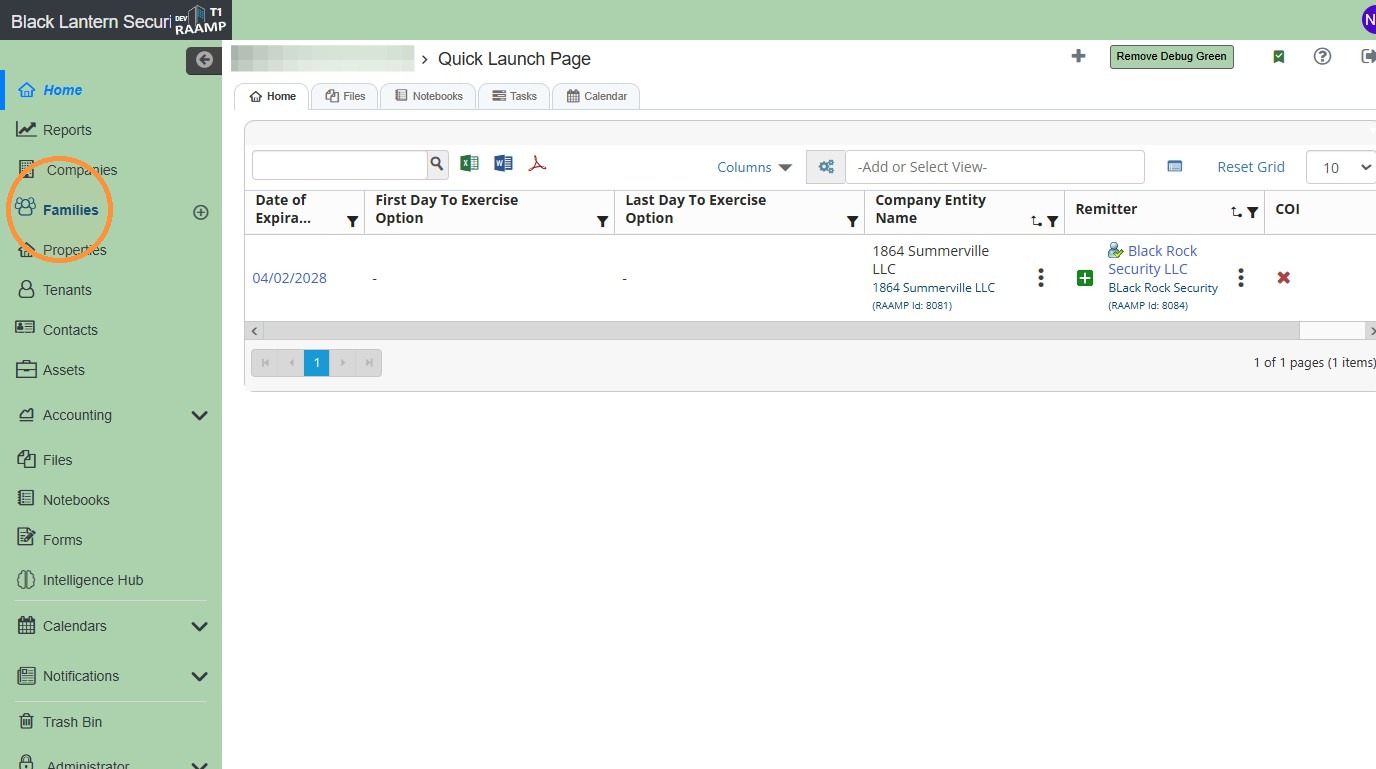
1. From the navigation menu, select Companies.
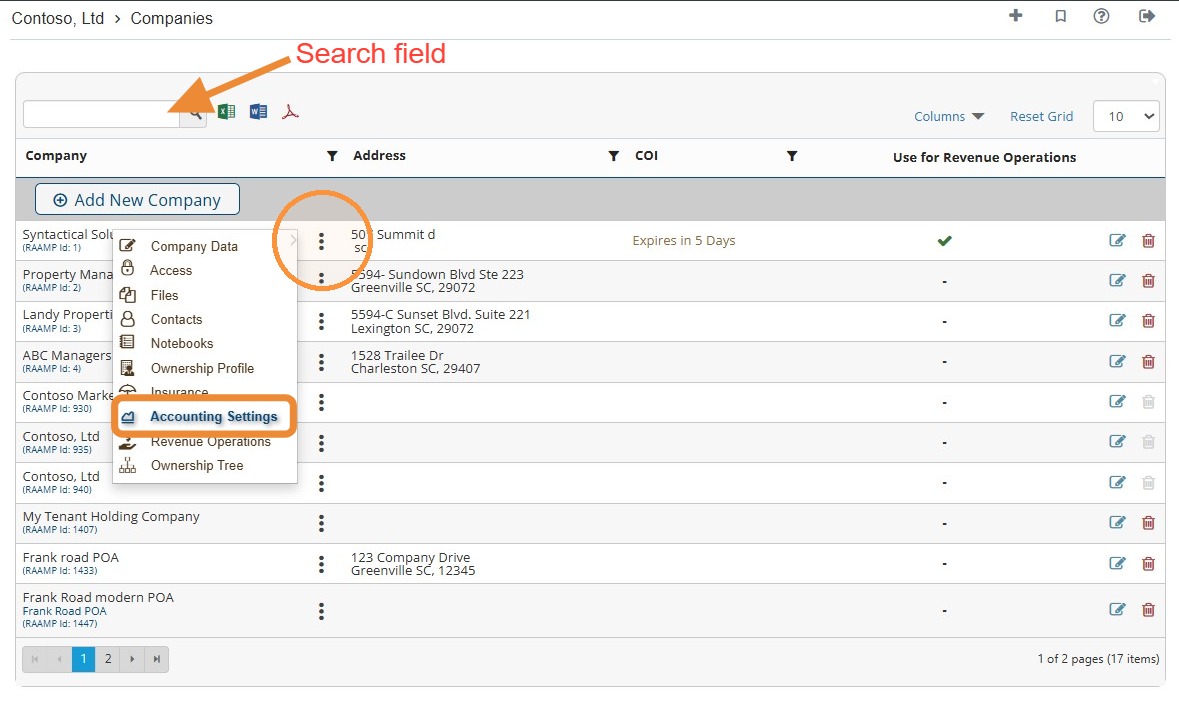
2. Locate the company > Select the company's three-dot menu > Select Accounting Settings.
NOTE: You can locate the company quickly by searching for it.
How to Navigate to Property Accounting Settings
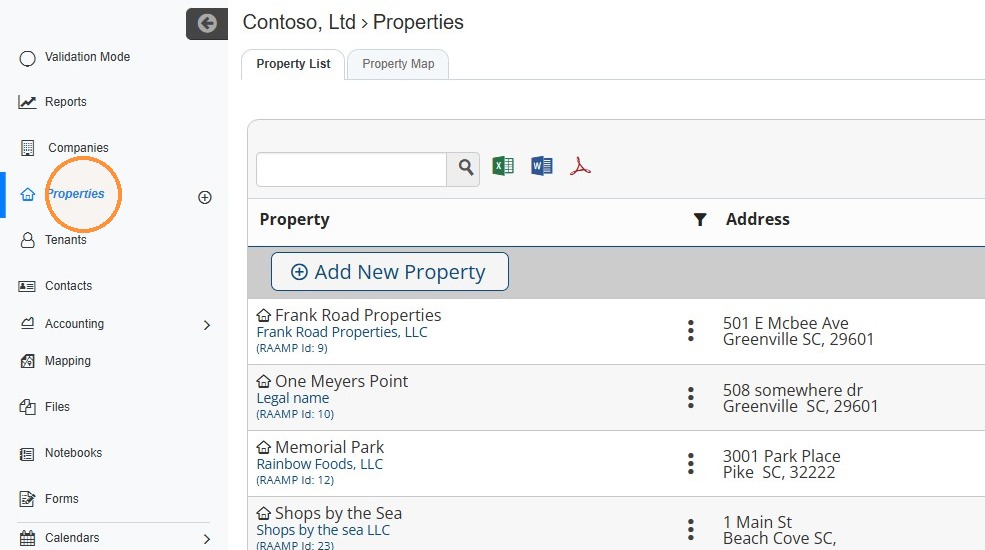
3. From the navigation menu, select Properties.
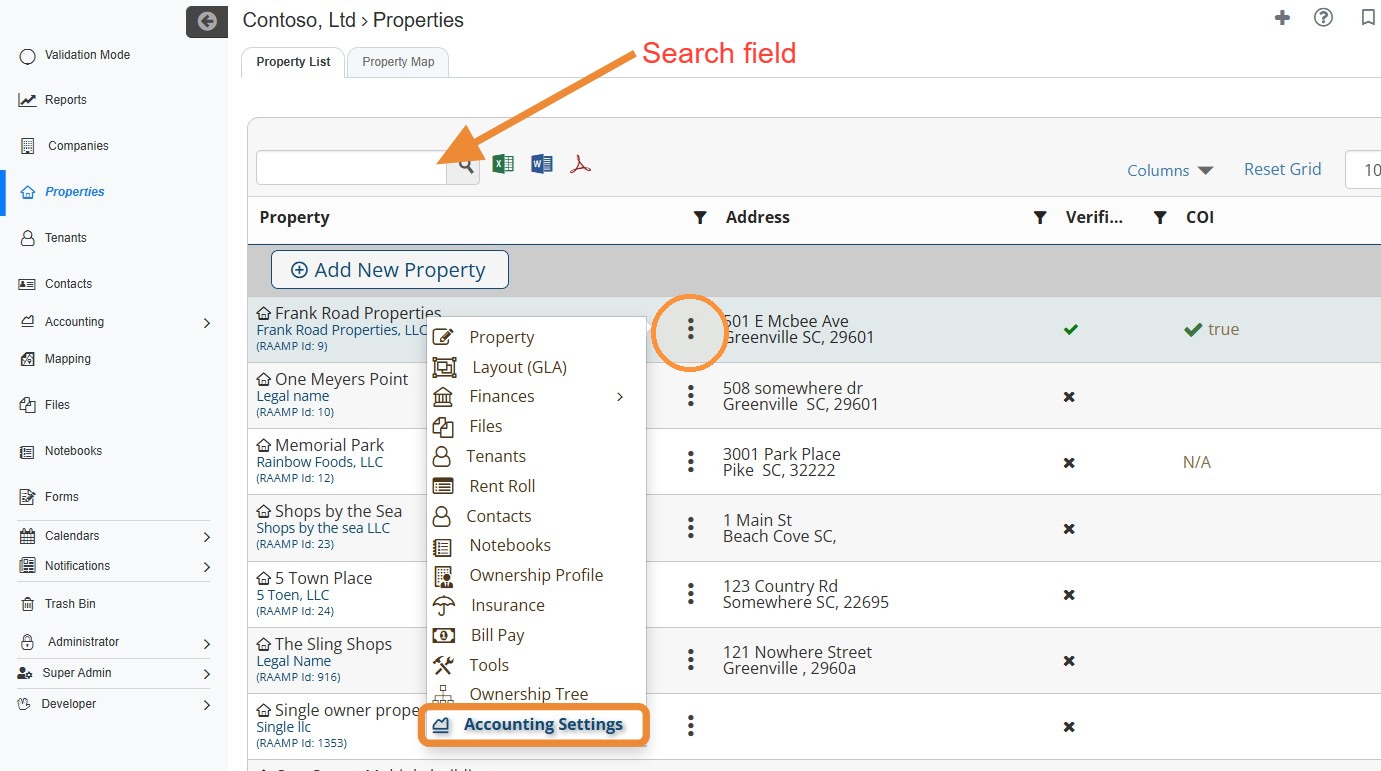
4. Locate the property > Select the property's three-dot menu > Select Accounting Settings.
NOTE: You can locate the property quickly by searching for it.
How to Navigate to Families Accounting Settings
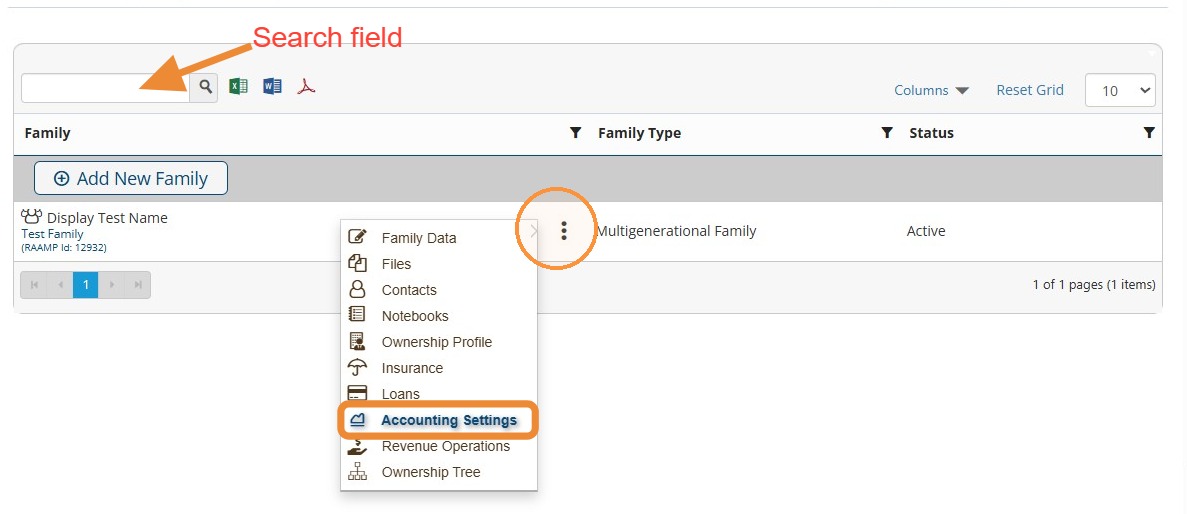
5. From the navigation menu, select Families > Locate the Family.\ \ NOTE: You can locate the family quickly by searching for it.
6. Select the family's three dot menu > Select Accounting Settings.
Tip: If you are unable to view Accounting Settings, please notify us so we can set the appropriate user permissions.
How to Enable Payables Approval
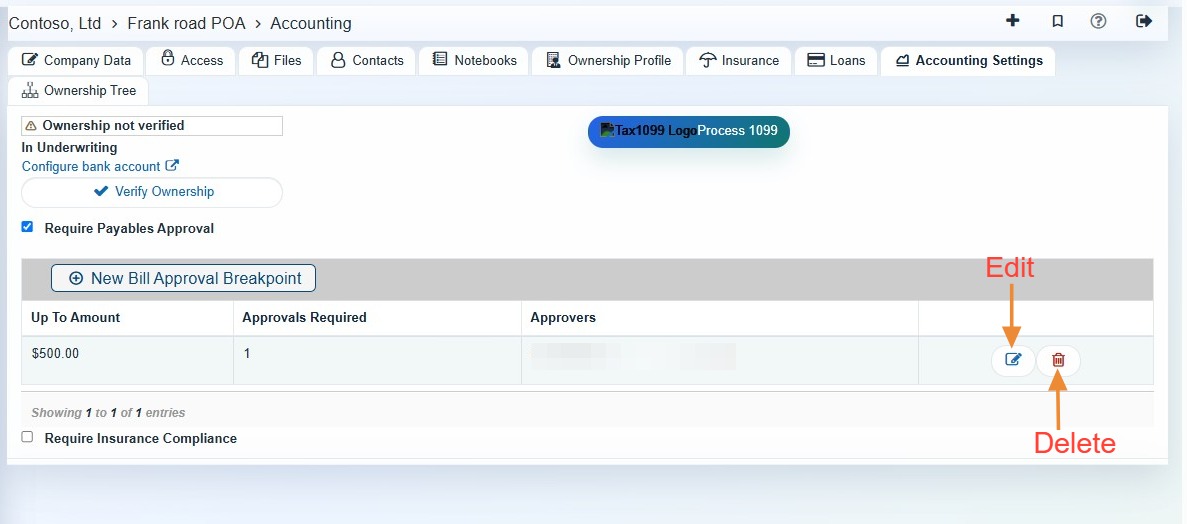
7. Select the Require Payables Approval checkbox.
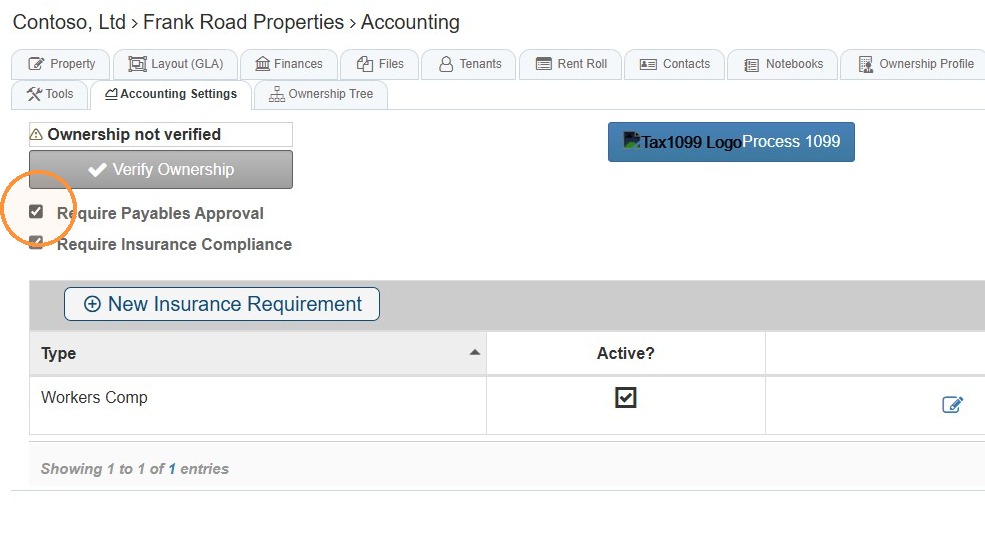
Tip: When Require Payables Approval is selected, you must add approval breakpoints, otherwise, any company admin will be able to approve payables.
8. Select New Bill Approval Breakpoint to set approval requirements.
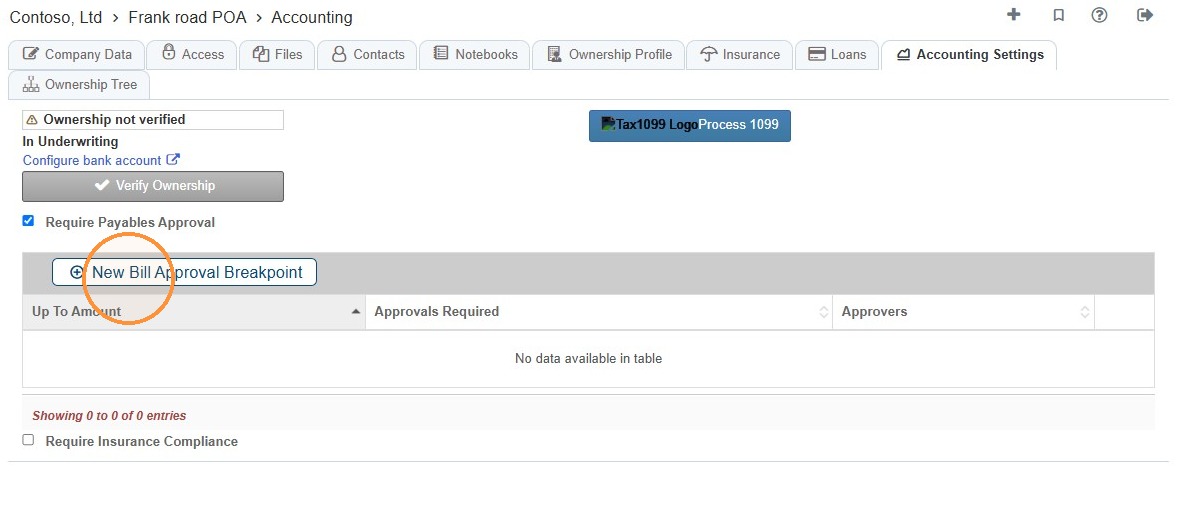
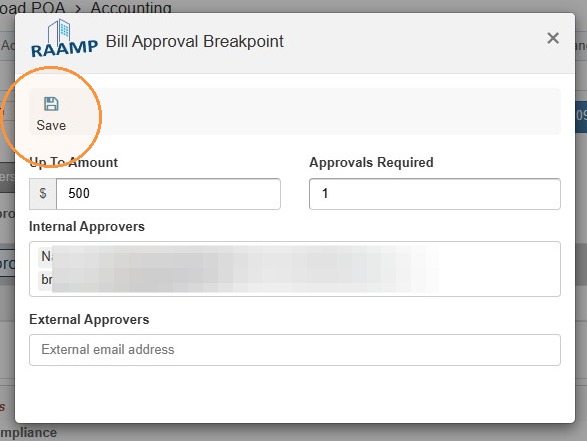
9. Select the Up To Amount field > Enter the amount that needs to be approved.
Up To Amount: This is the highest bill amount that the designated approver is required to authorize.
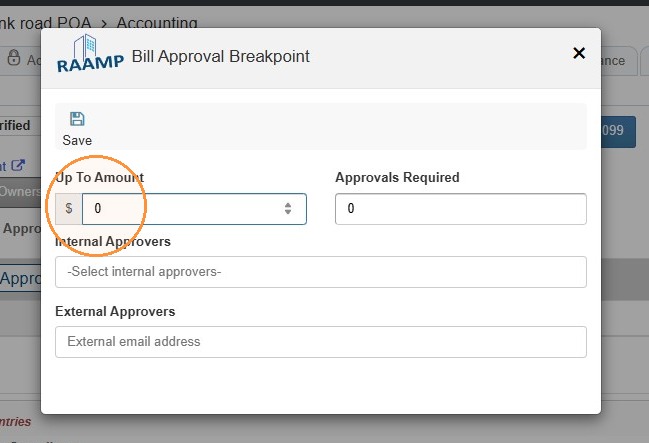
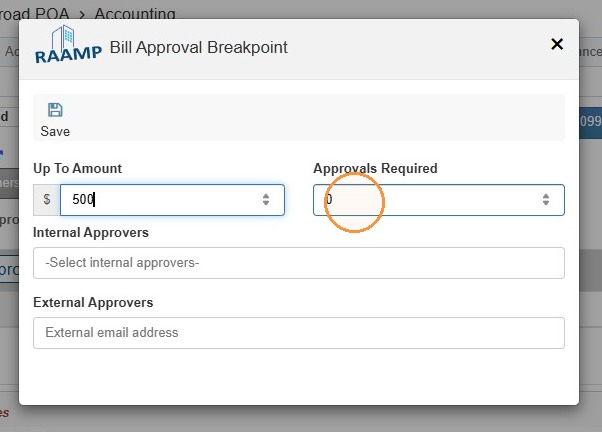
10. Select the Approvals Required field > Enter the number of required approvals.
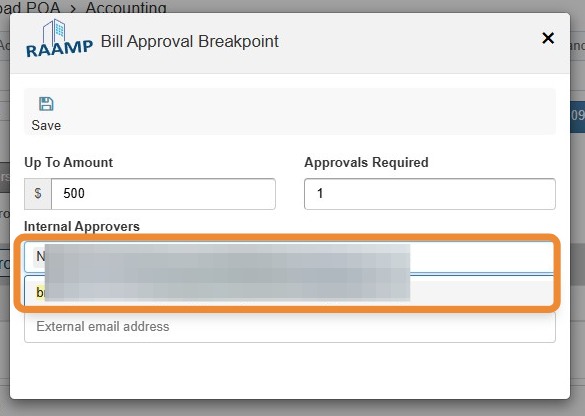
11. Select the Internal Approvers field > Enter the required approver(s).
NOTE: If only one approval is required, any of the listed approvers can approve the payable.
12. Select the External Approvers field > Enter the email address(es) of required external approvers.
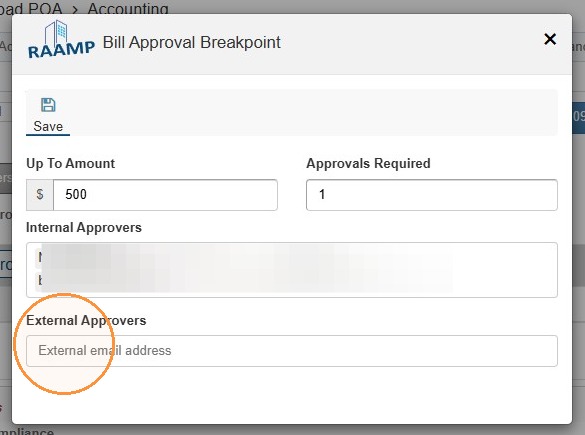
13. Select Save.
Tip: You can establish multiple Bill Approval Breakpoints to define limits for amounts that certain individuals can approve.
14. Select the edit icon to edit the bill approval breakpoint or select the trash can icon to delete the bill approval breakpoint.
Related Tutorial(s):