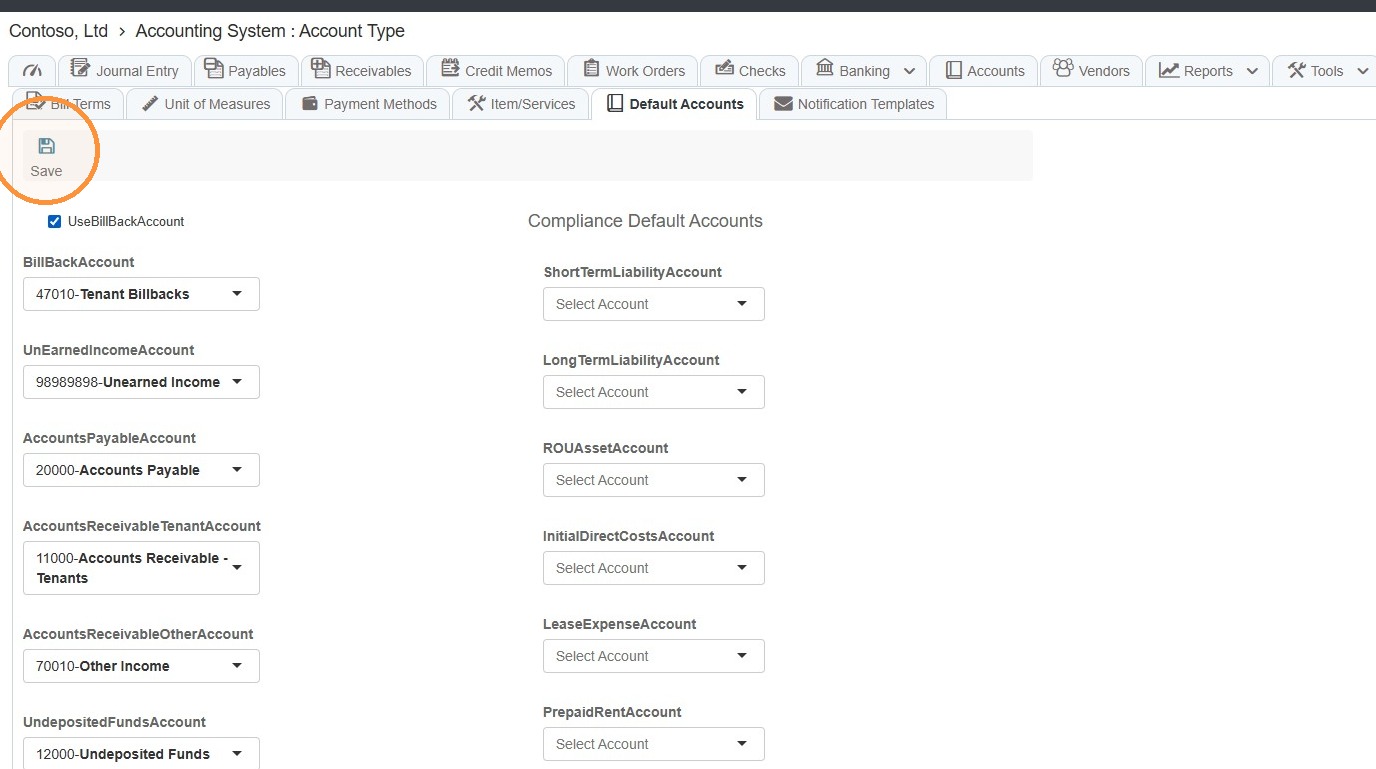
How to Assign and Change Default Accounting Accounts
This guide quickly shows where to find and update your system's default accounting accounts so transactions use the correct ledgers automatically. Follow a few simple menu steps to select preferred defaults and save them, preventing posting errors and saving time on manual account selection.
How to Navigate to Default Settings
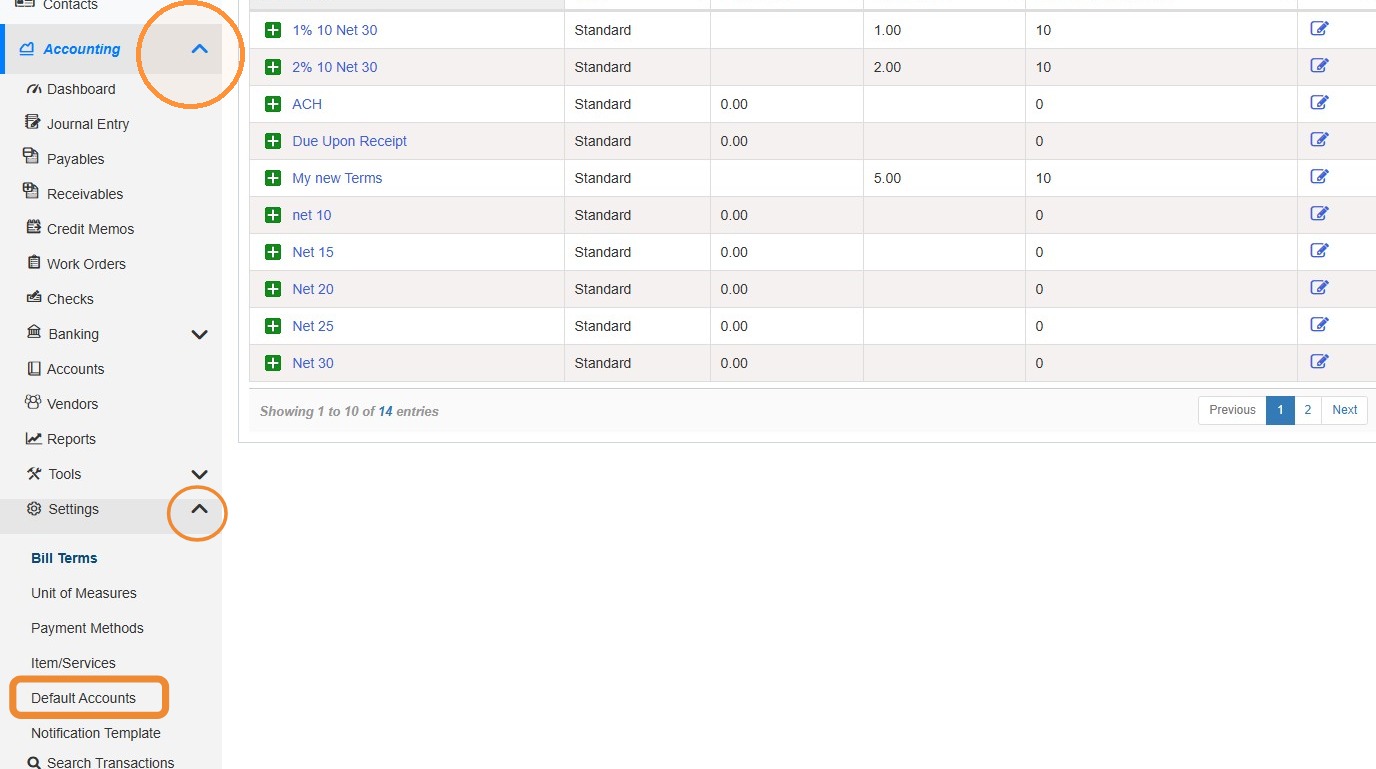
1. From the navigation menu, select Accounting > Select Settings > Select Default Accounts.
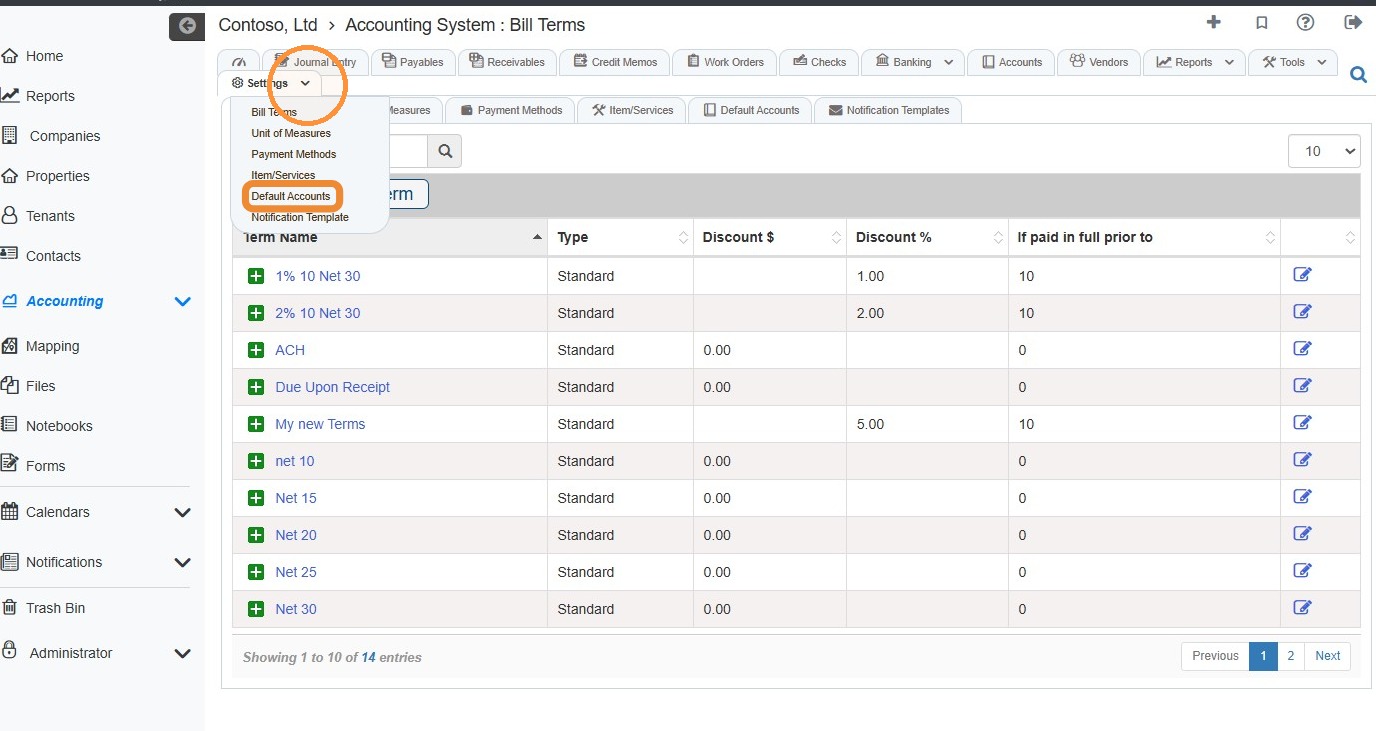
2. From the Accounting Module, select the Settings tab > Select Default Accounts.
How to Setup and Change Default Accounts
Tip: You must select all default accounts on the left side. Compliance Default Accounts (on the right) are optional.
3. Select the preferred default account from each dropdown menu > Select Save.