How to Add and Edit Units of Measure
Learn the process of setting up, editing, and removing units of measure within your accounting system. This guide provides clear steps to ensure your inventory and sales data remain organized and accurate.
How to Navigate to Item/Services
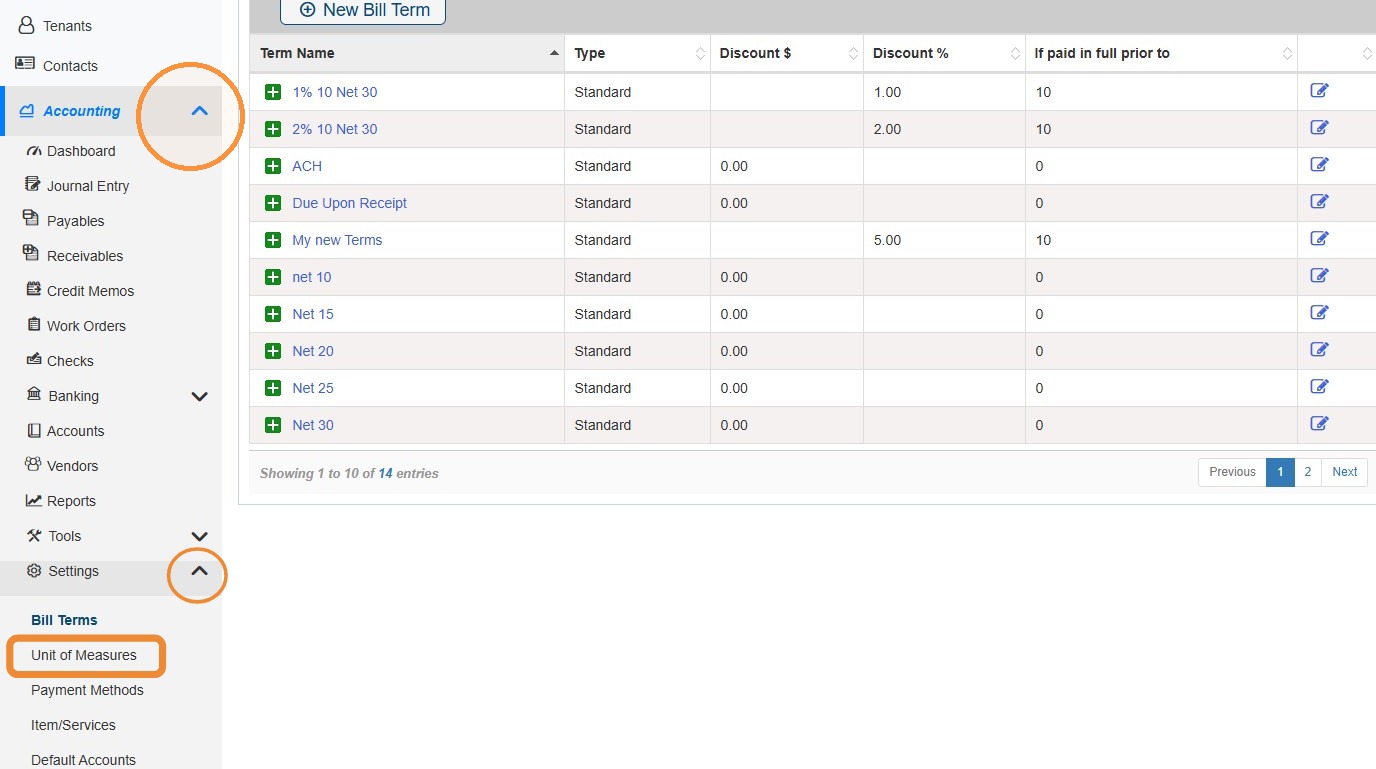
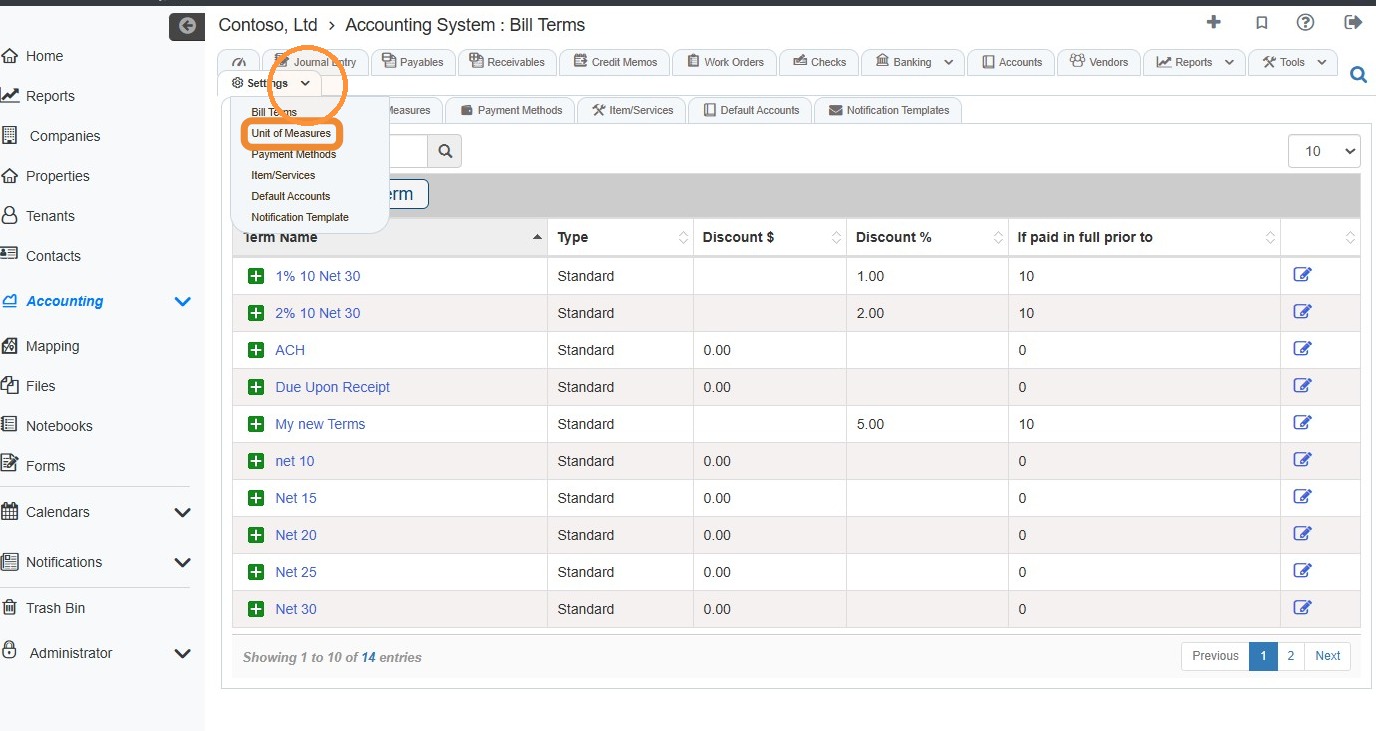
1. From the navigation menu, select Accounting > Settings > Unit of Measures.\ \ Alternatively, from the Accounting Module, select the Settings tab > Unit of Measures.
How to Add and Edit Unit of Measures
2. Select New to create a new unit of measure.
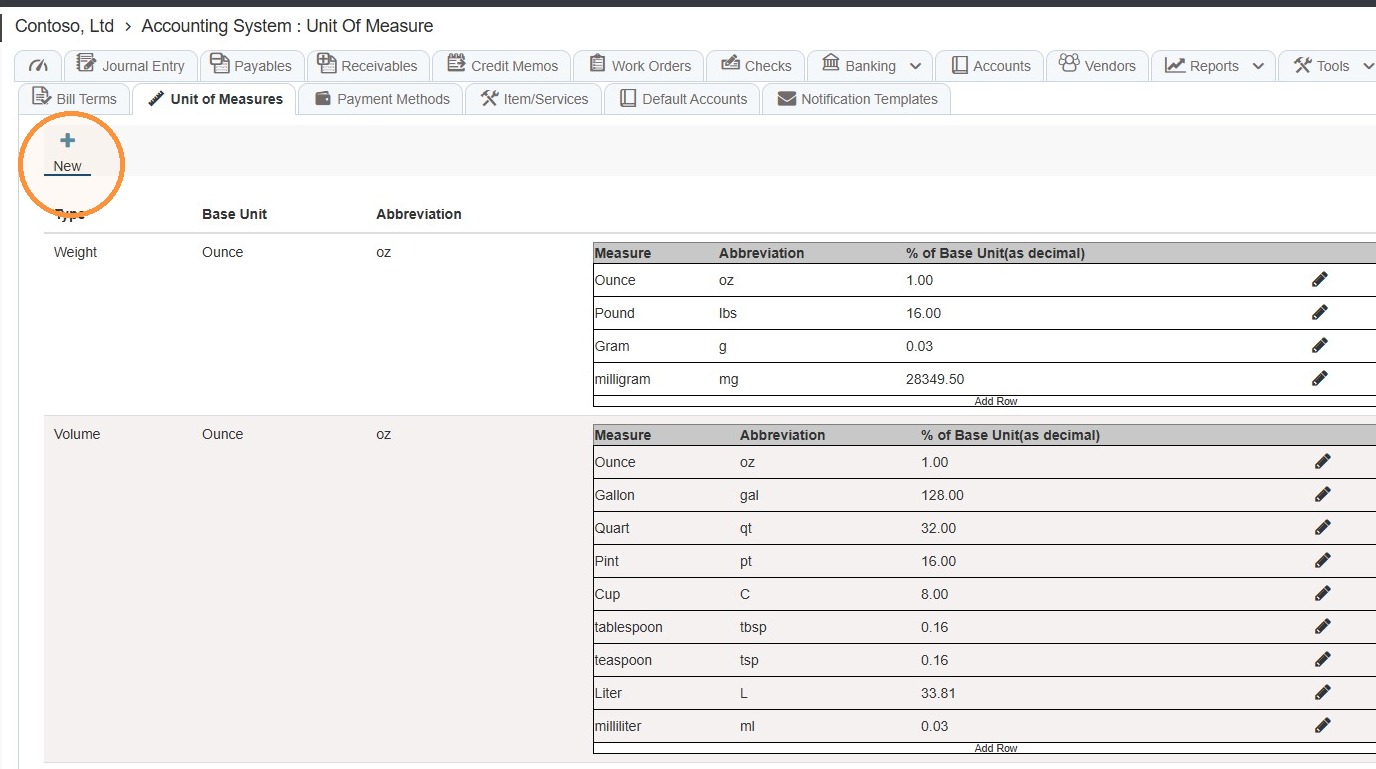
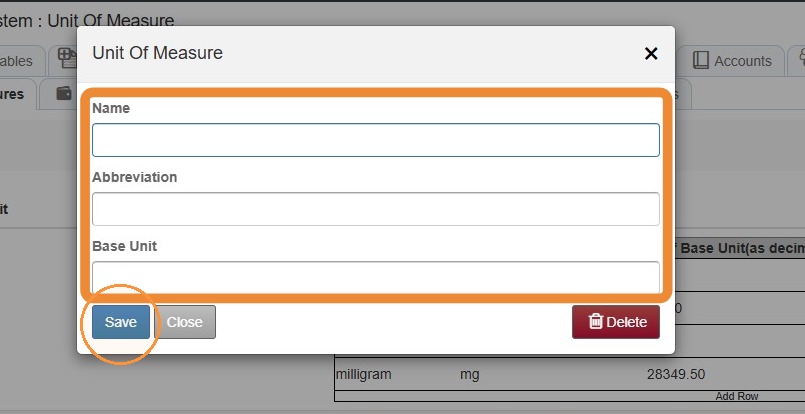
3. Complete the required Unit of Measure information > Select Save.
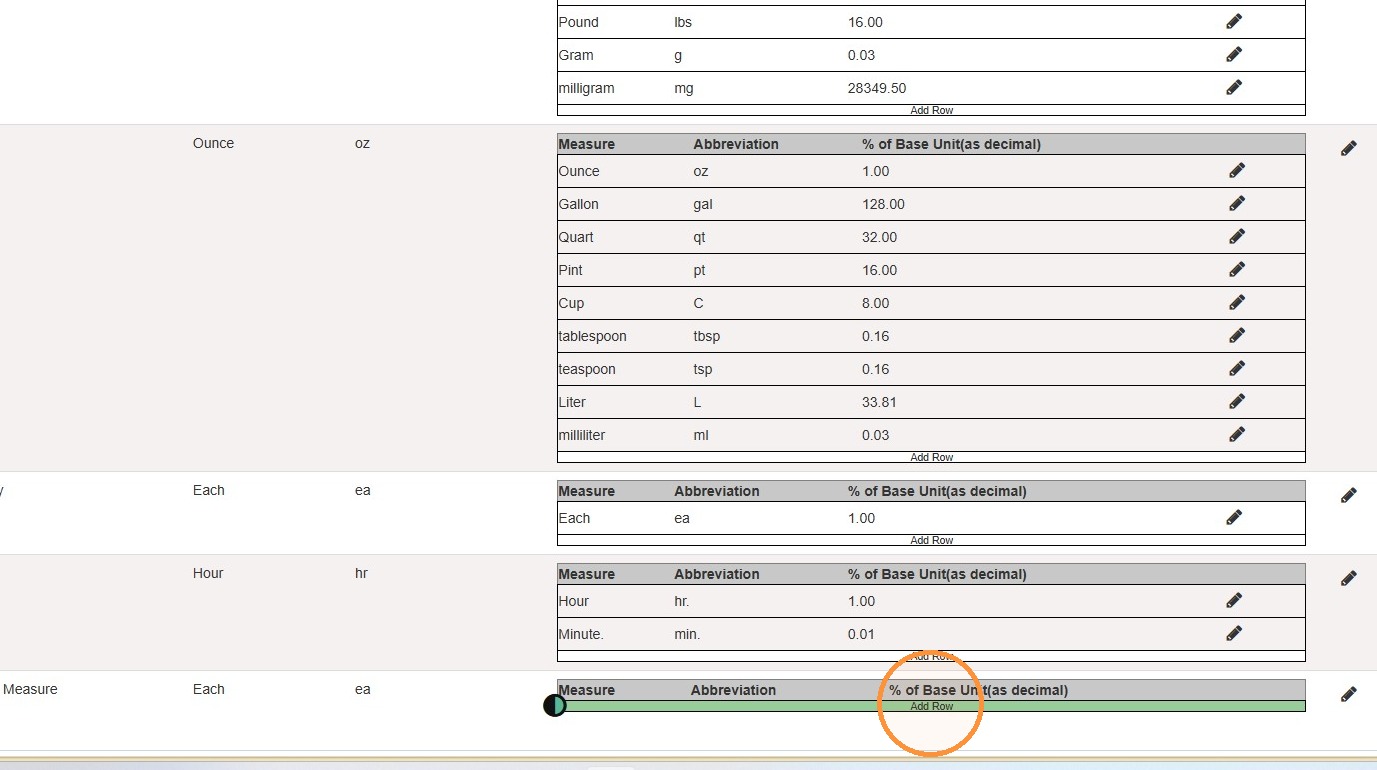
4. Select Add Row to add units of measure.
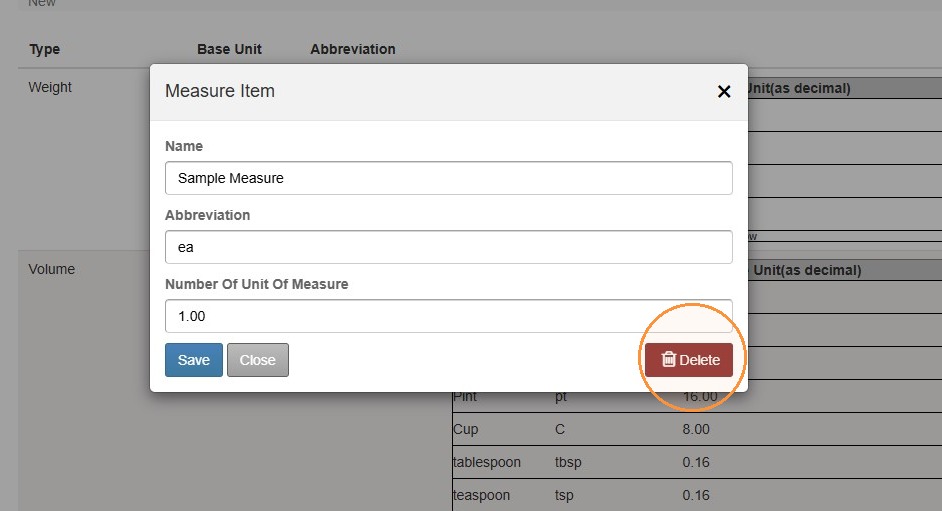
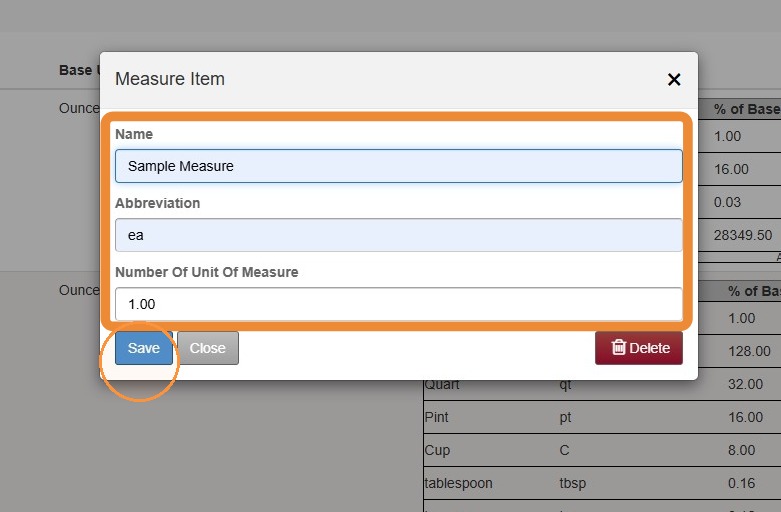
5. Complete the Measure Item information > Select Save.
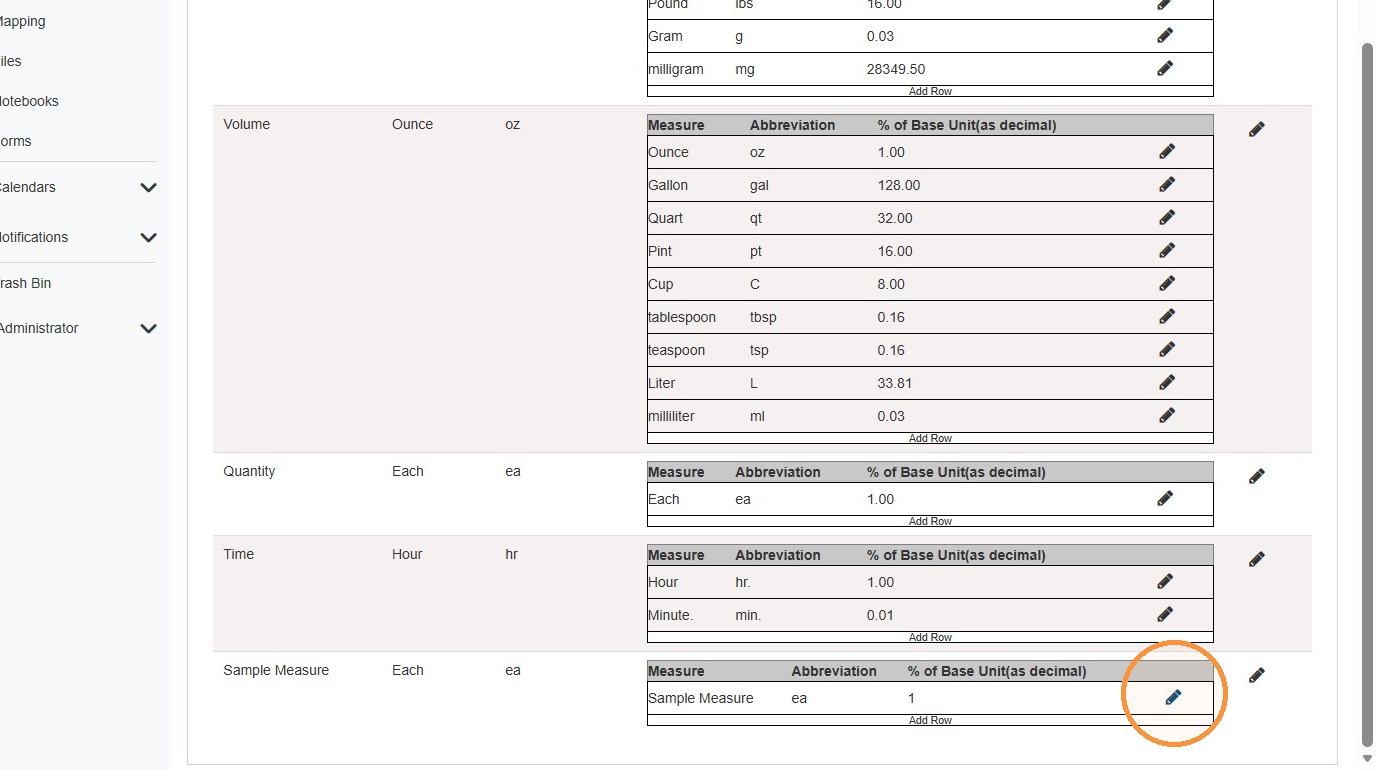
6. To edit or delete the unit of measure, select the pencil icon.
7. Edit the Measure Item information > Select Save.
To delete the Measure Item, select Delete.