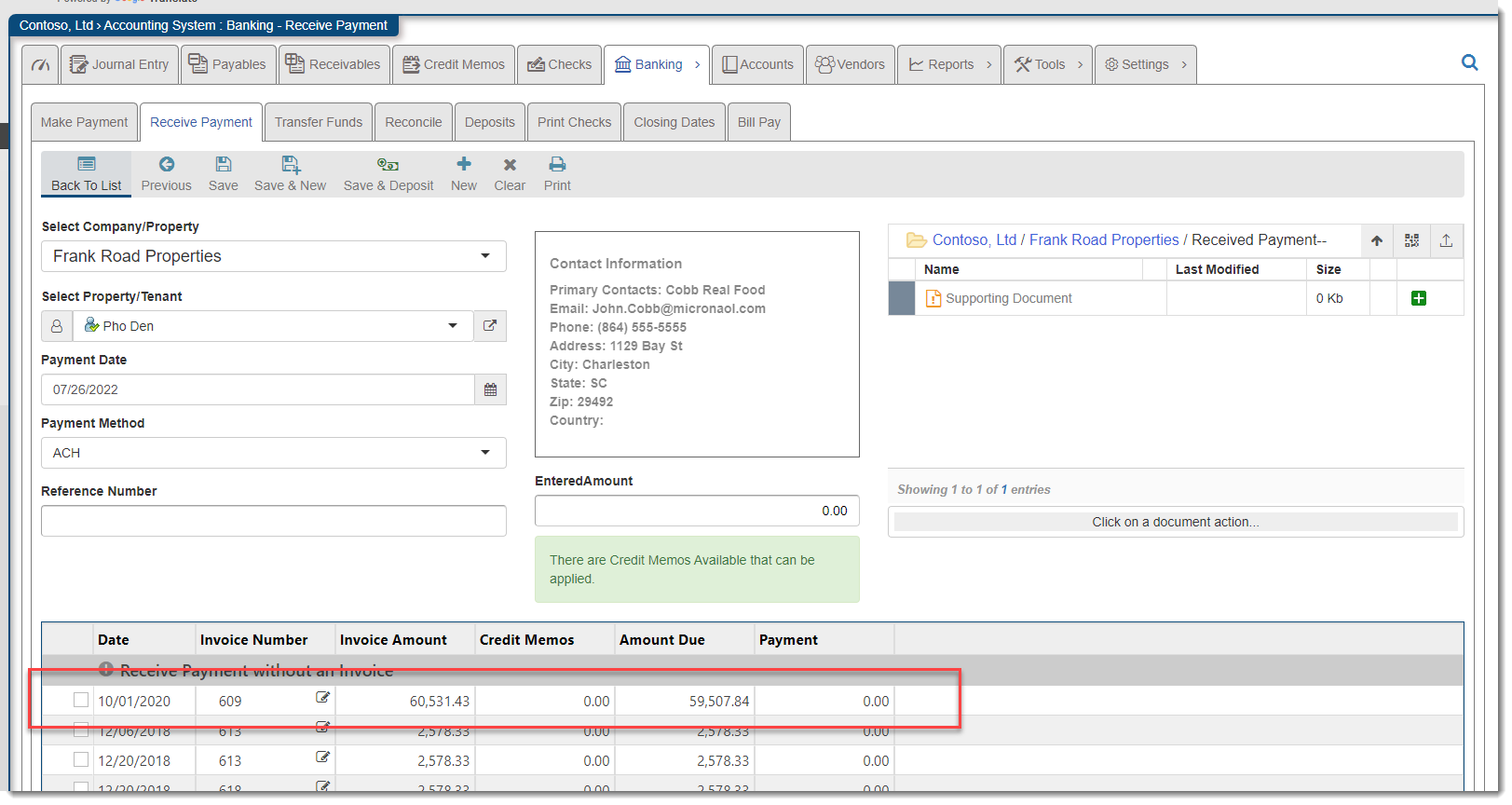
Navigate to the
Click on the Received Payment that bounced, you can either click the date or the edit pencil:

Click The bounce Icon:
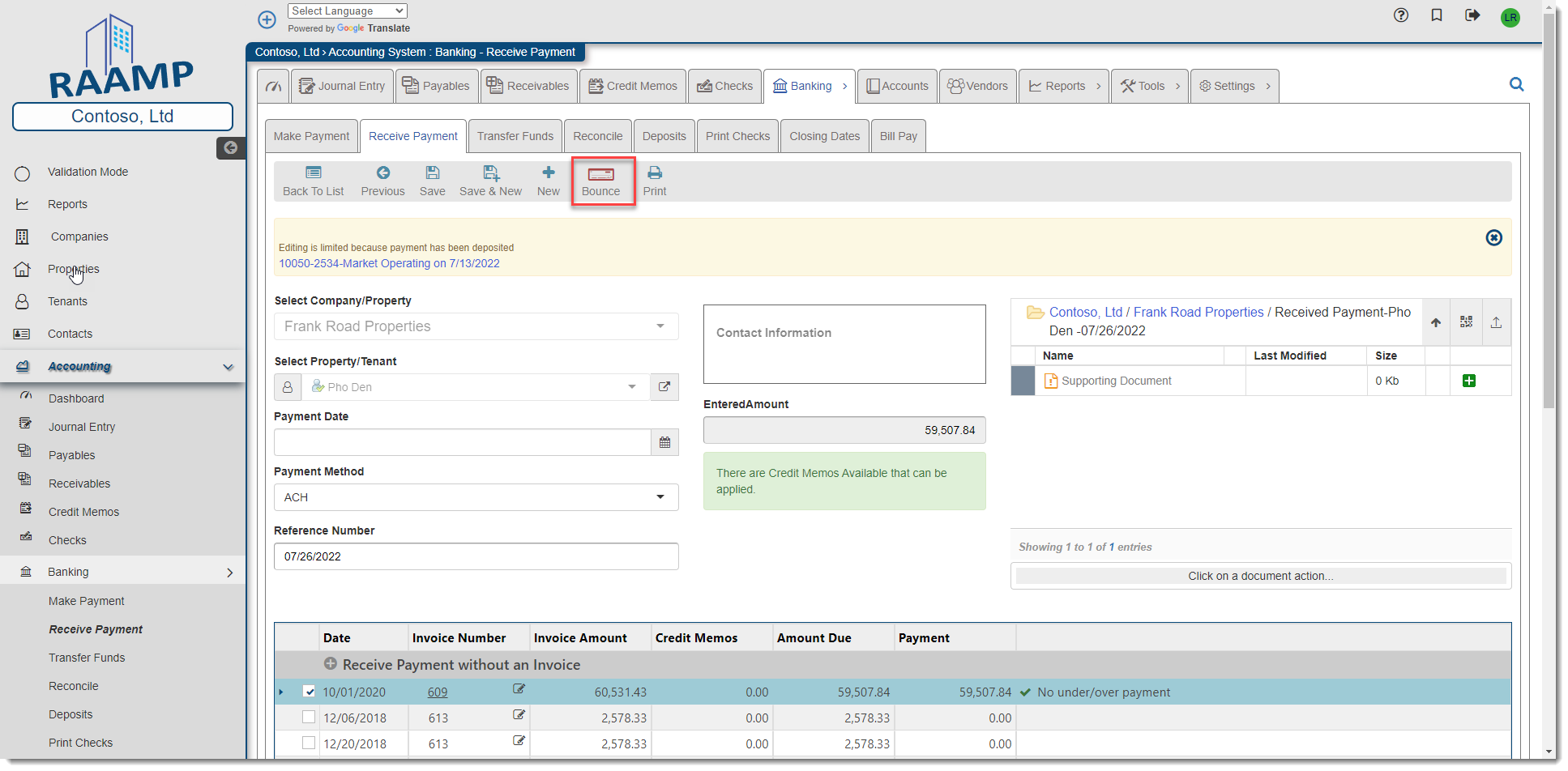
NOTE: You will only see bounce on received payments that have already been deposited.
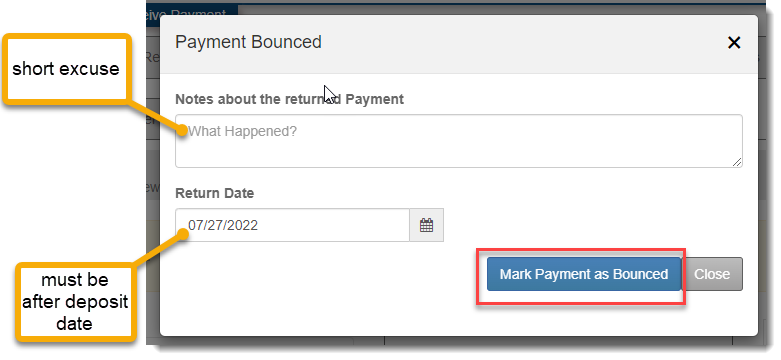
Put in the date that the payment bounced, the date must be after the deposit date: Then click Mark payment as Bounced:
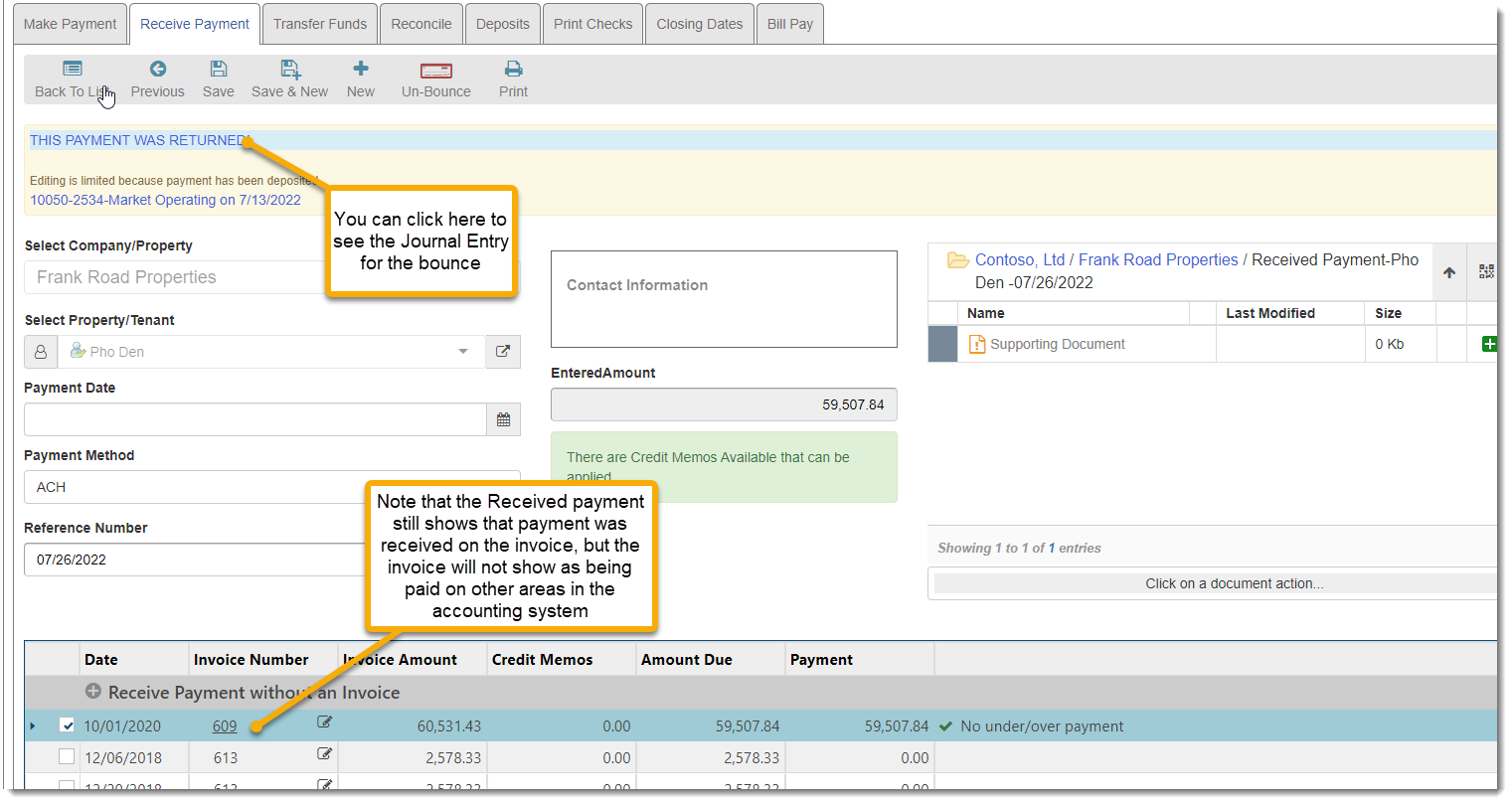
The Received Payment record will return modified as bouncing:
You will also see it as bounced in the list of received payments:

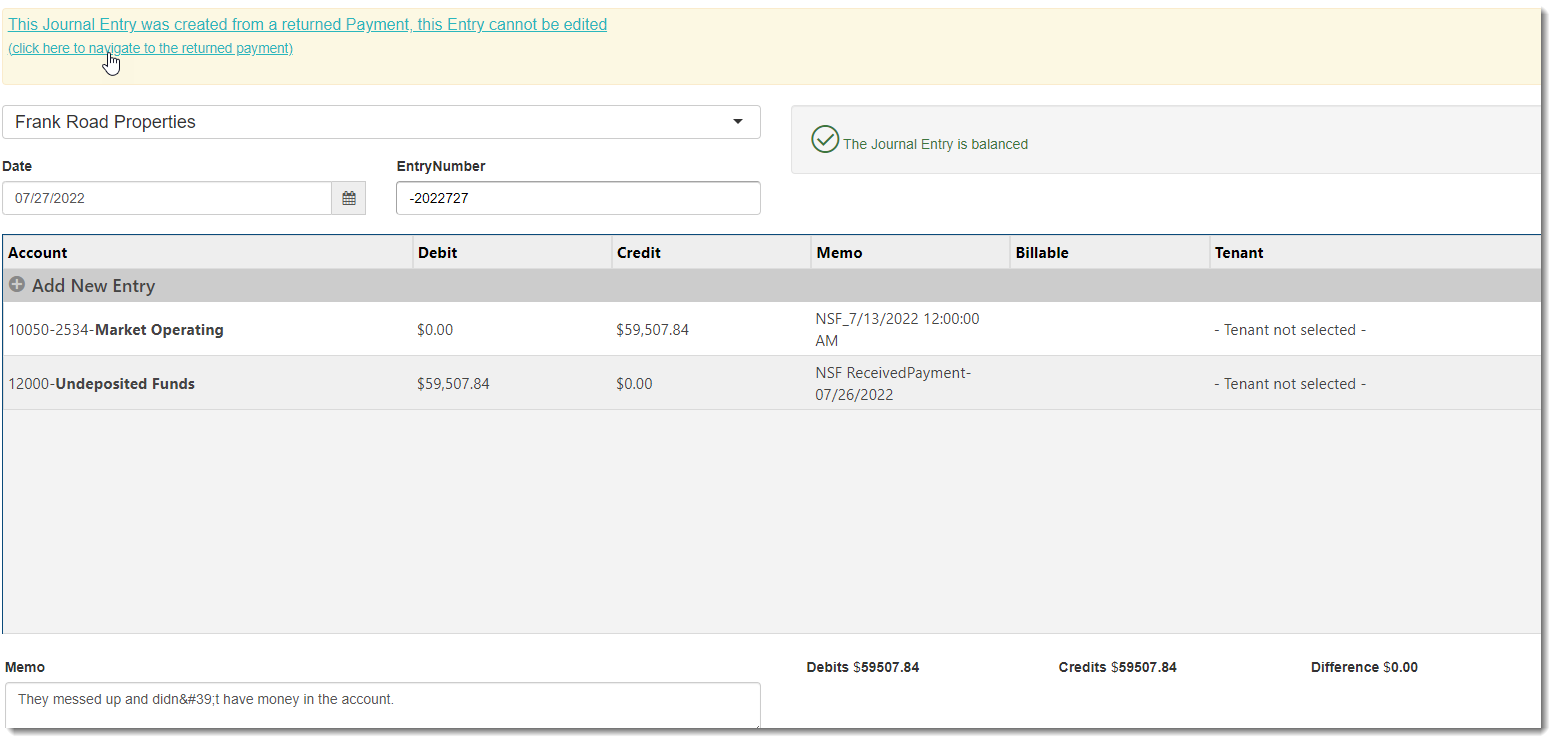
The Bouncing creates a Journal Entry showing the activity, this Journal Entry cannot be modified or edited:
You can now receive payment on the same invoice using a new Received Payment: