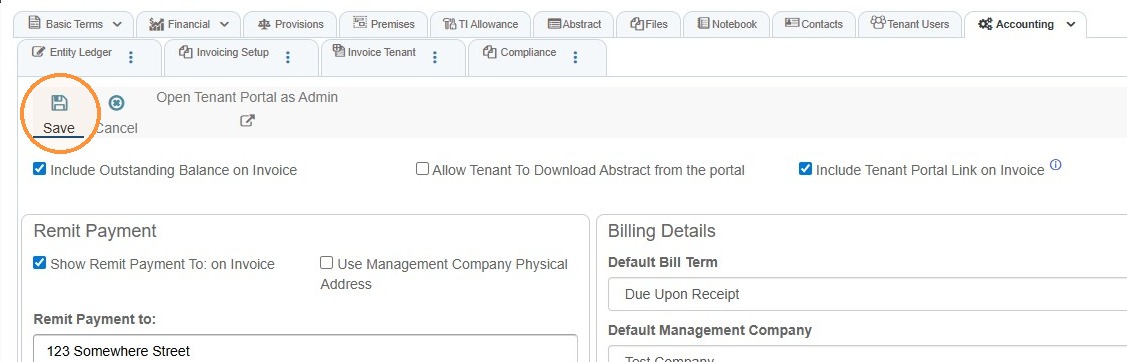
Tenant Invoicing Setup
This guide explainsshows how to configuremanage tenant invoicingaddresses so invoicesbilling, show the correct remit-to address, payment options, minimum payment rules,mailing, and billing/landlordphysical details.locations (and their phone numbers) stay accurate and up to date. It walks you fromthrough finding a tenanttenant, toadding openinga Invoicingnew Setupaddress, editing existing details, and choosingdeleting preferredan checkboxesaddress andwith dropdowns.confirmation. Follow it to ensure invoicescommunications areand accurate,records payments gopoint to the rightcorrect place,location.
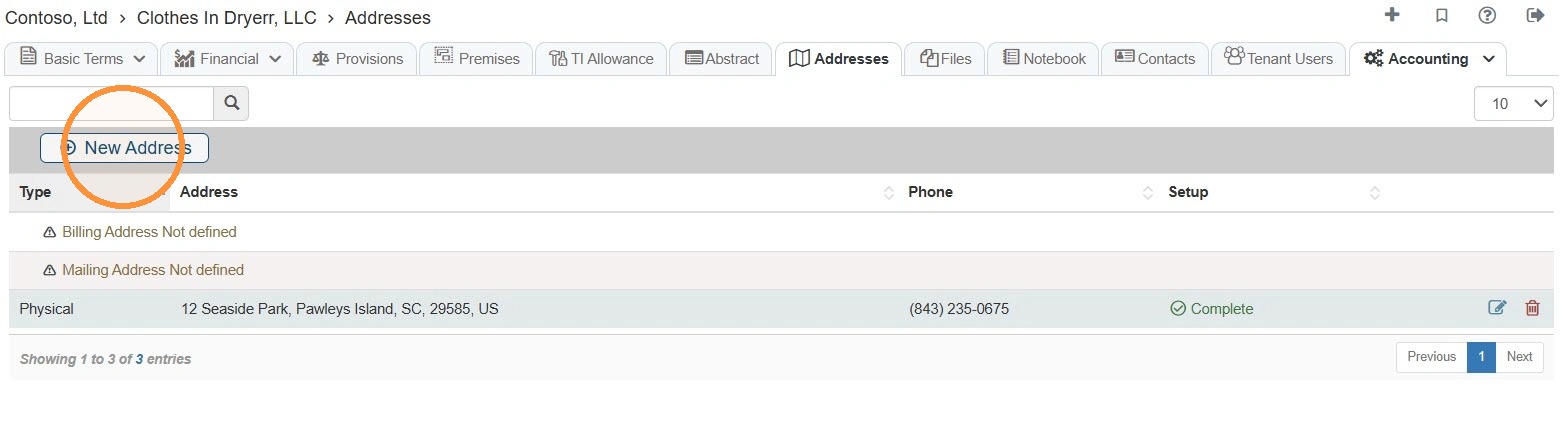
Tip: and- billingAddresses requirements= areWhere enforced.the vendor is located. Use this tab for billing, mailing, or physical addresses. A phone number entered here is associated with that specific location.
Navigating to InvoicingTenant SetupAddresses
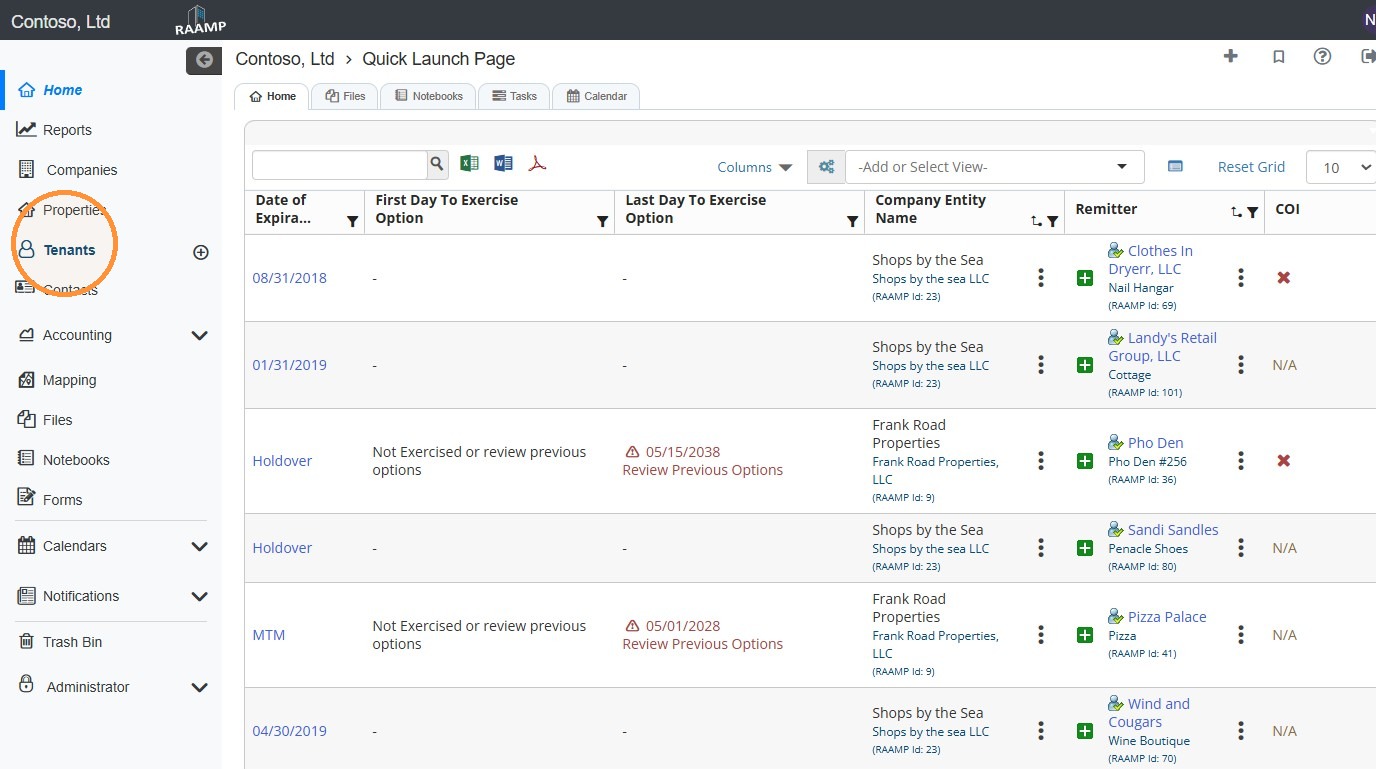
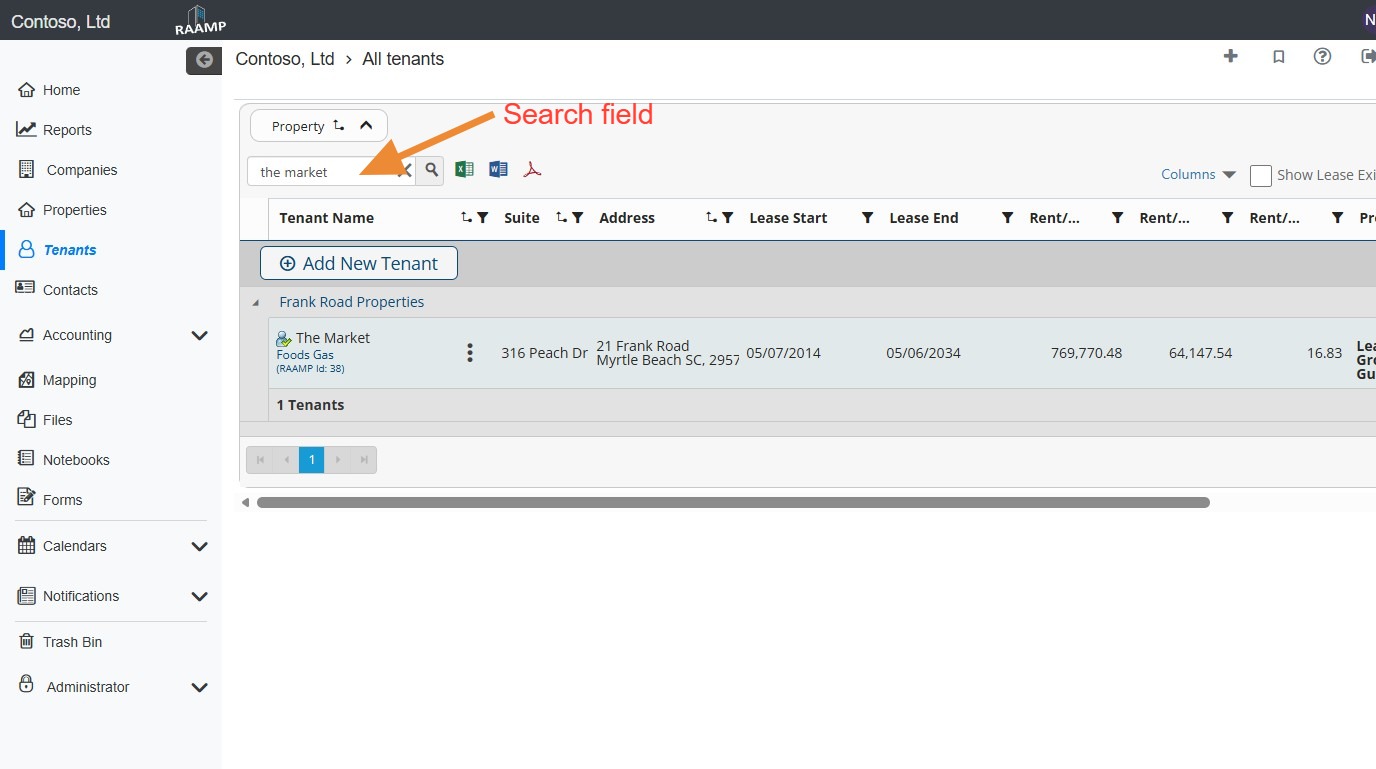
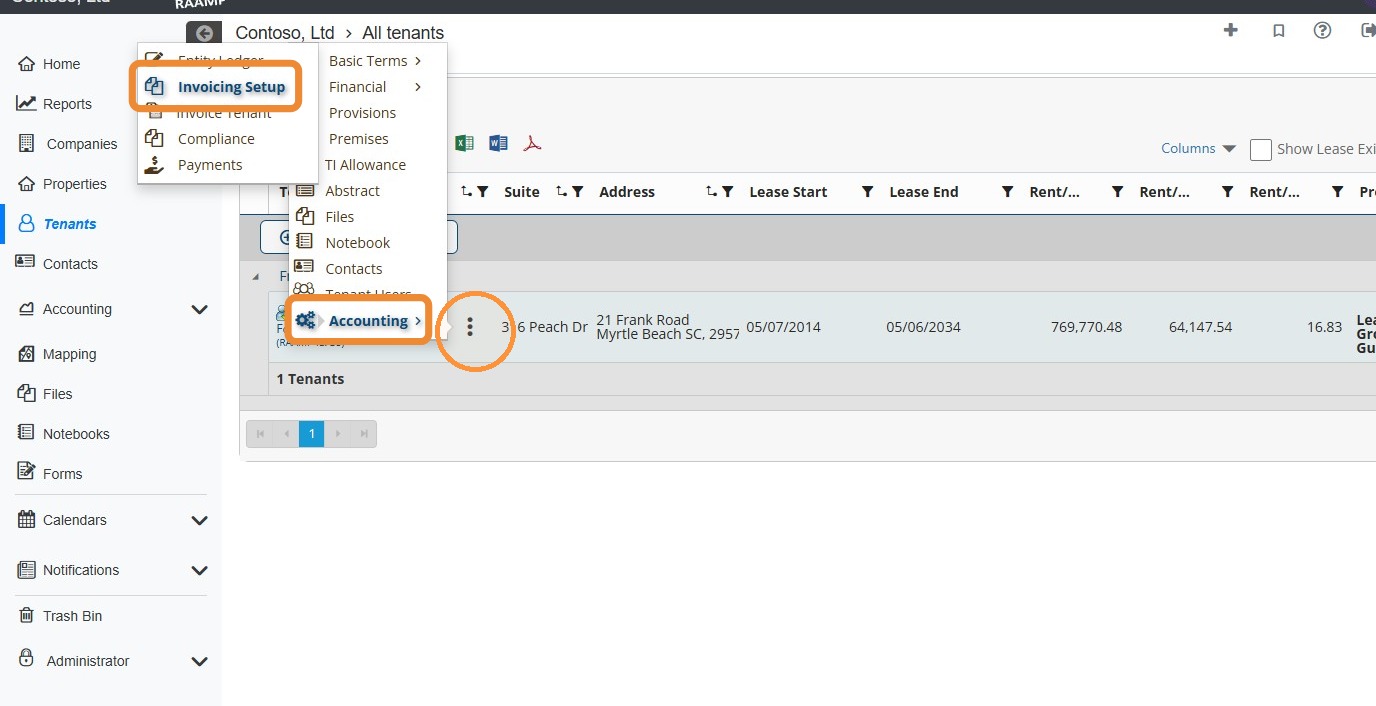
1. FromOn the navigationHome menu,page, selectlocate the Tenants.tenant.
2.NOTE: LocateYou can use the search field to quickly locate the tenant.
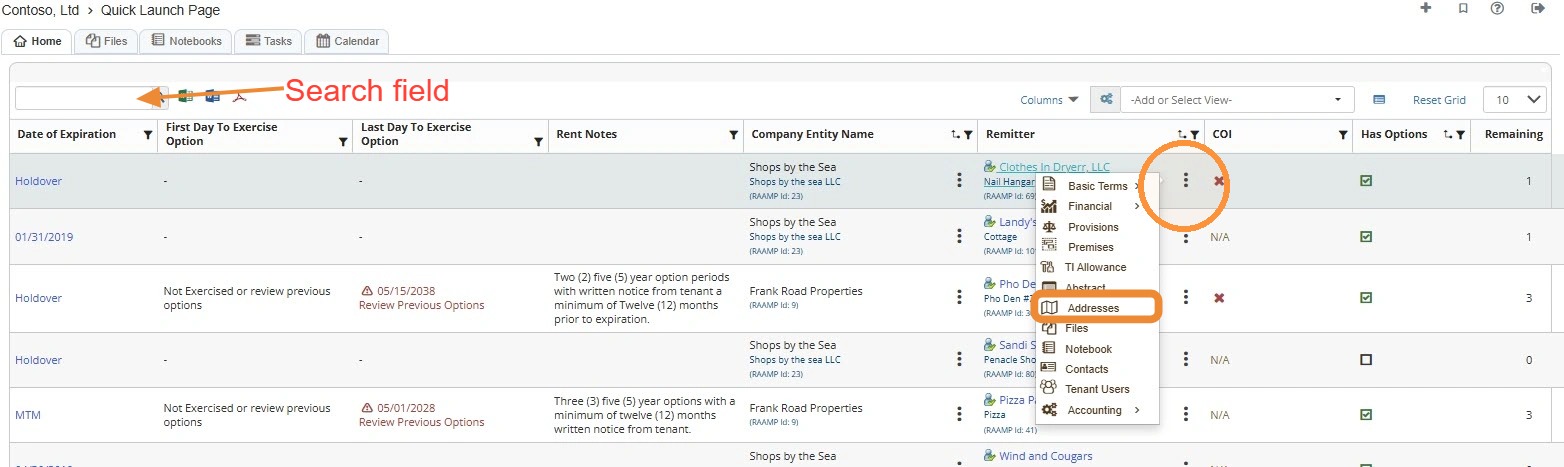
How to Add a New Address
2. Select NOTE:New You can locate the Tenant quickly by searching for it.Address.
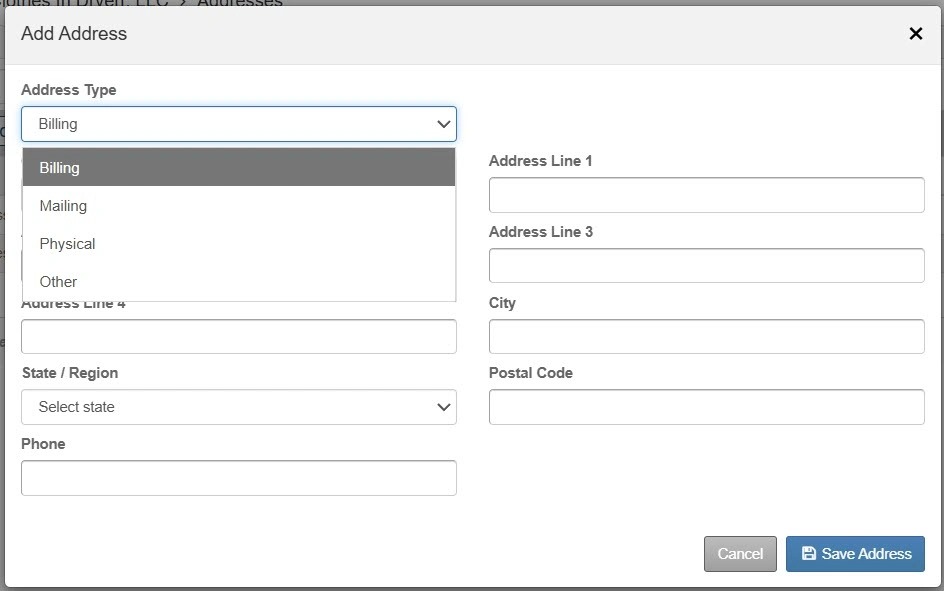
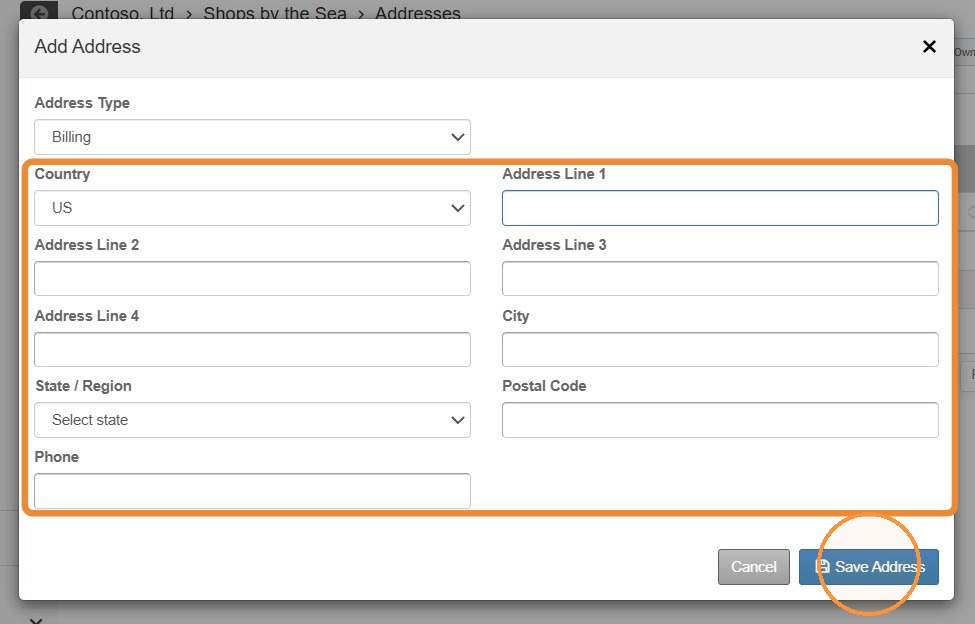
3. Select the Address Type.
NOTE: For the remit payment address to auto-fill on the tenant's invoice setup screen, you threemust dotselect menuOther and enter Remit Payment as the label.
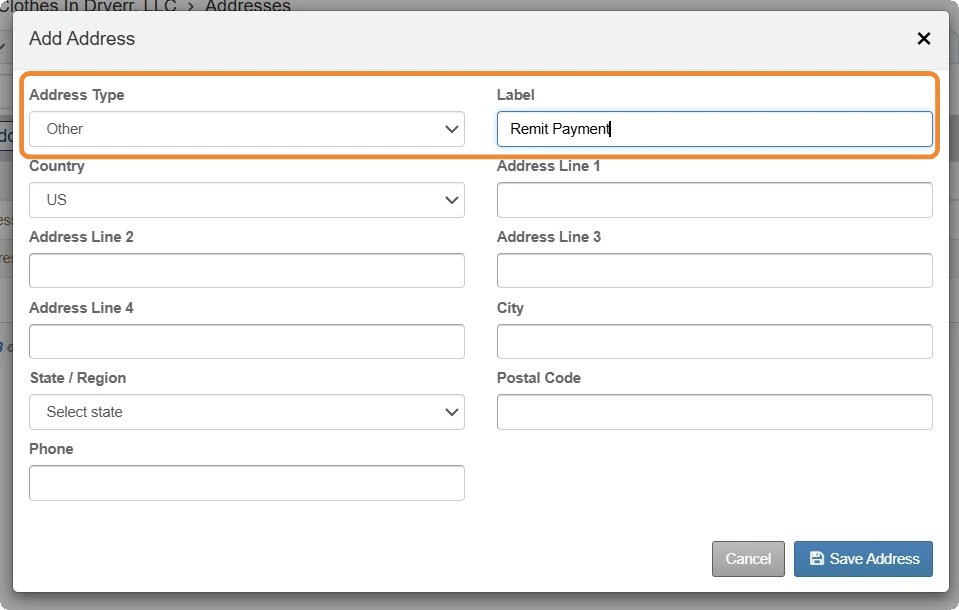
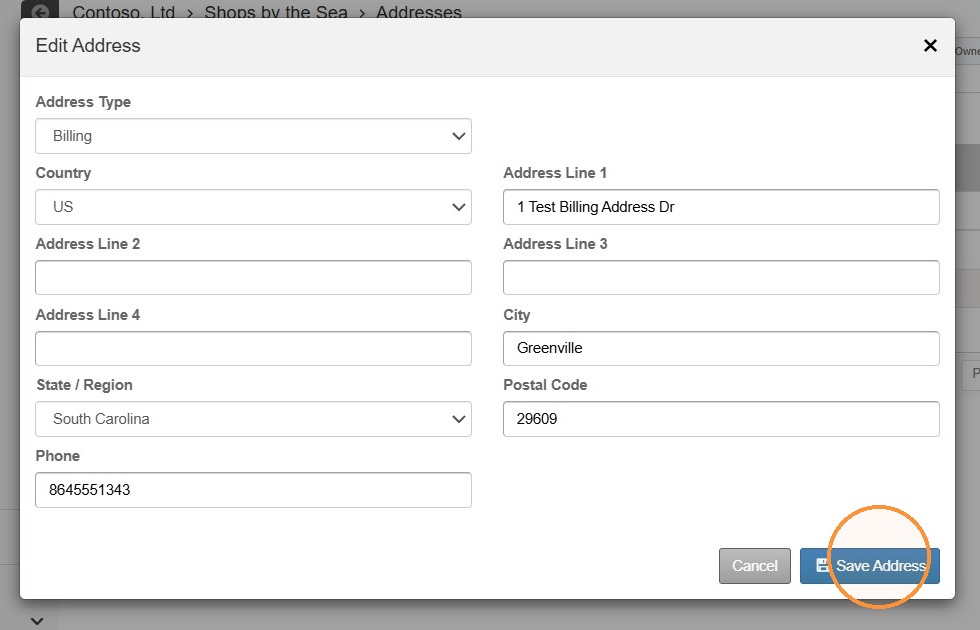
4. Enter the address information > Select AccountingSave Address > Select Invoicing Setup..
How to SetupReview Invoicingand Delete/Edit Address Information
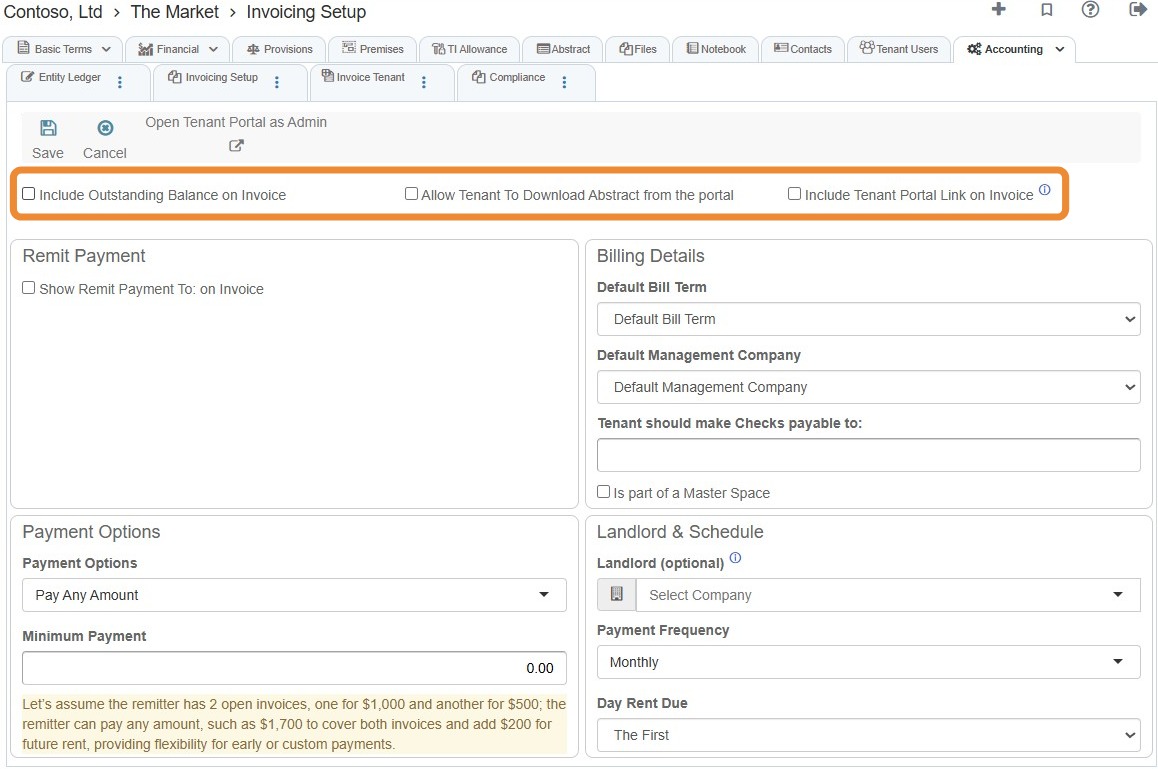
4. Select the preferred checkbox(es).
5. Select the Show Remit Payment to: on invoiceedit checkbox.icon for the address you need to edit.
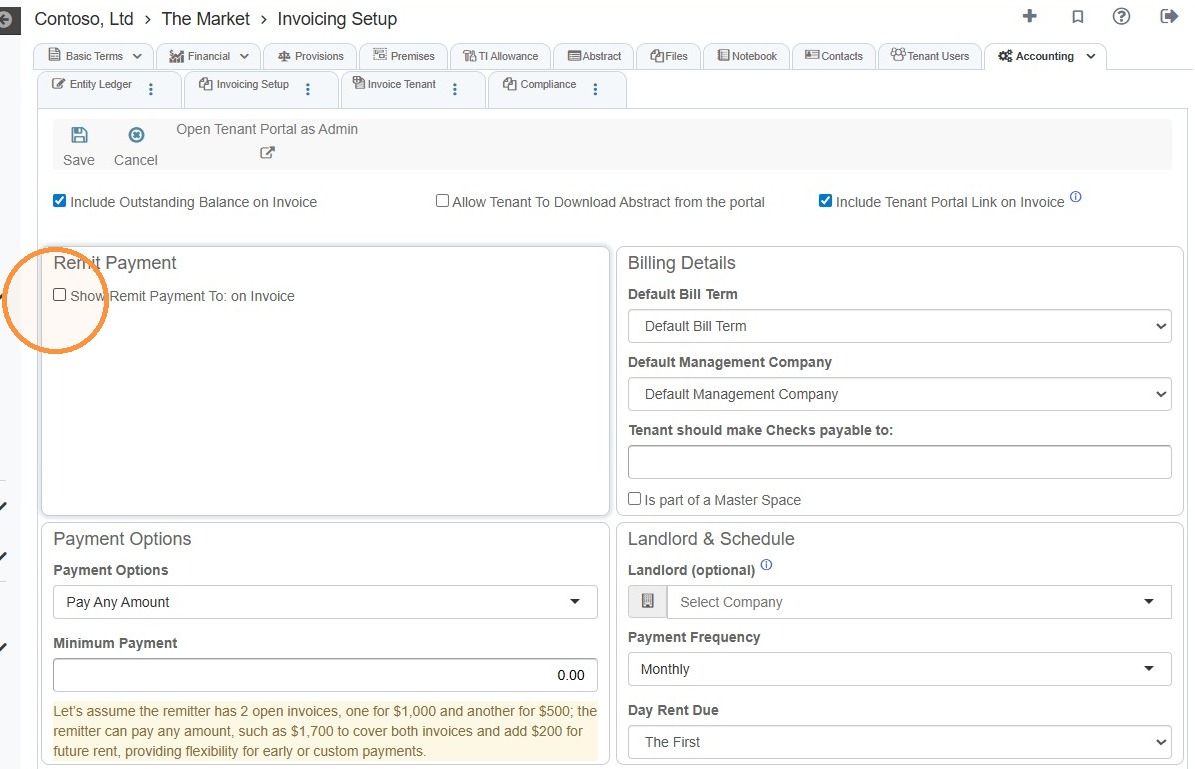
For the Remit Payment address to automatically fill in:
The remit payment addressmustbe entered on the tenant's addresses tab.
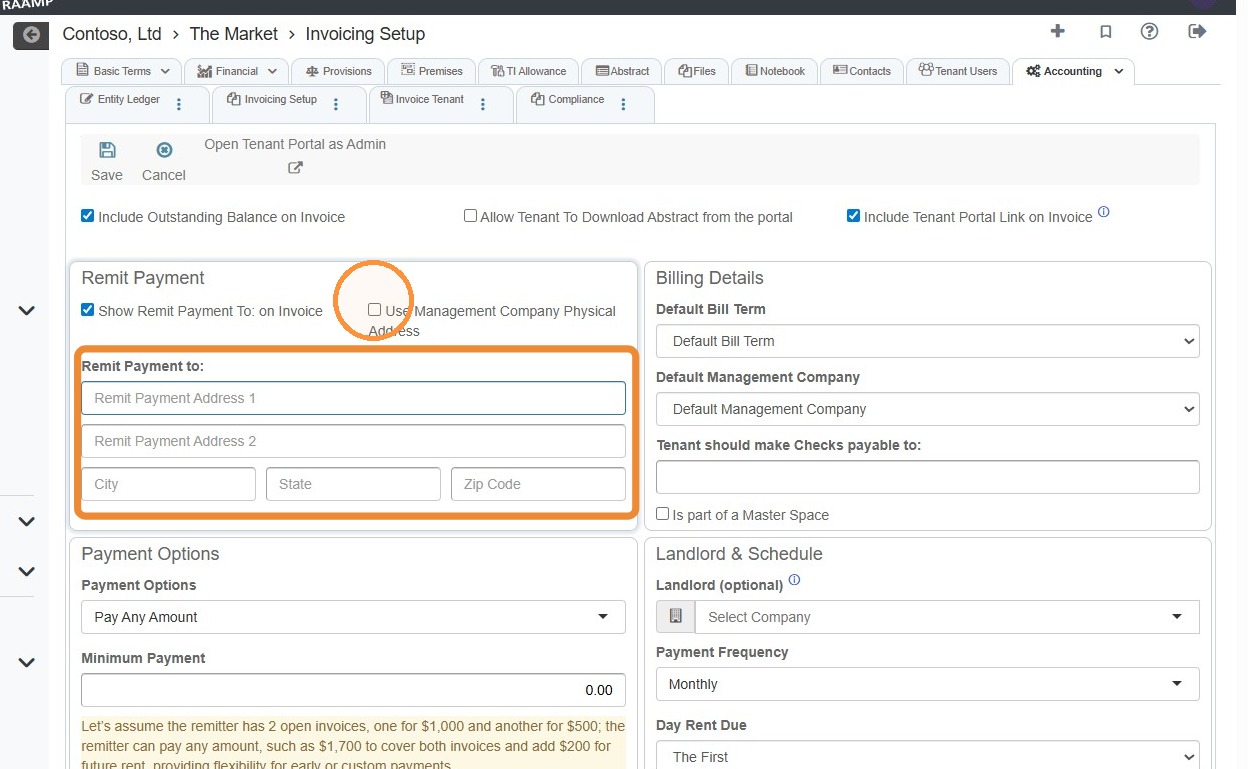
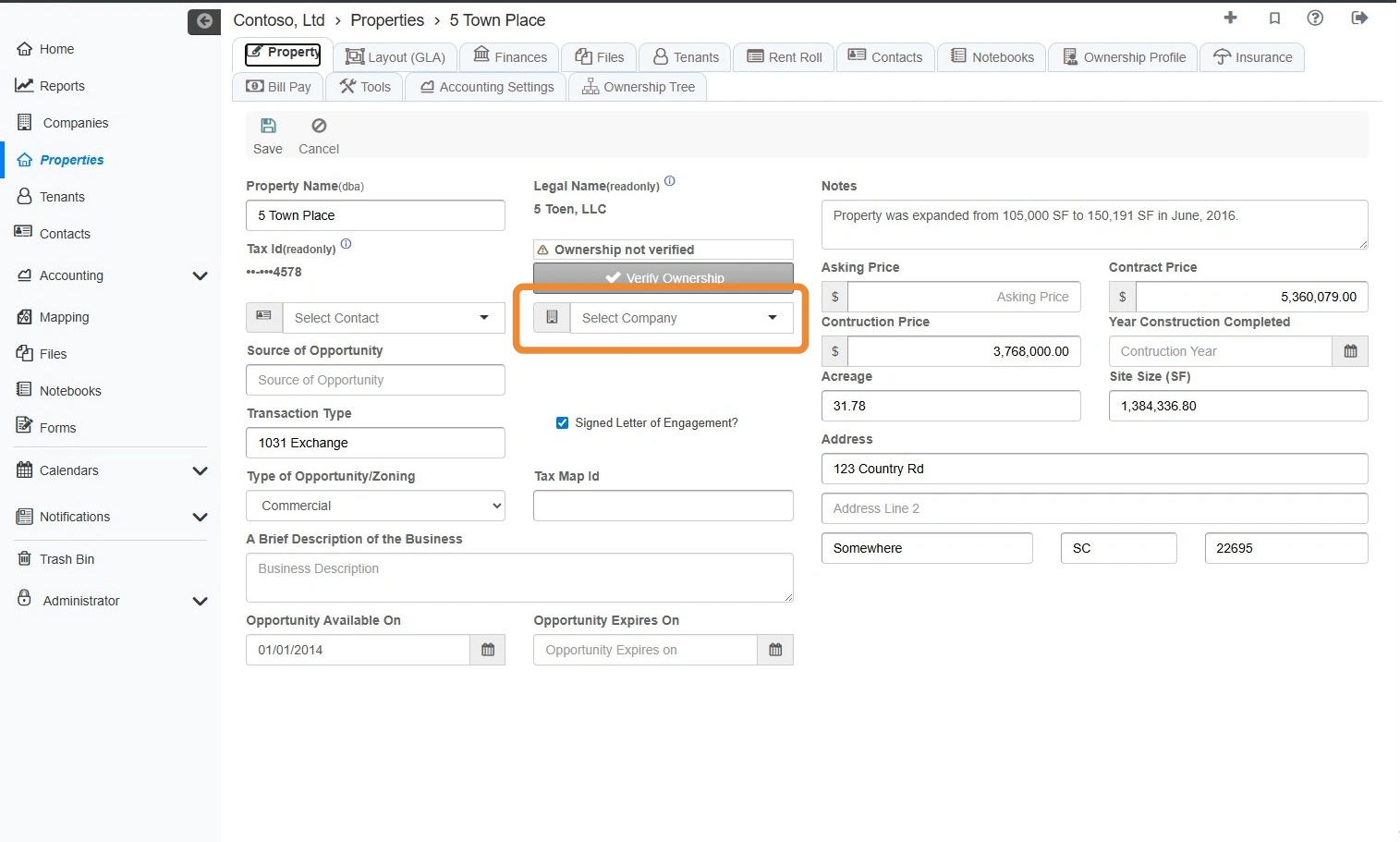
For the Management Company's physical address to automatically fill in:
The physical addressmustbe entered on the company's addresses tab.The management company should be set on the Property tab.
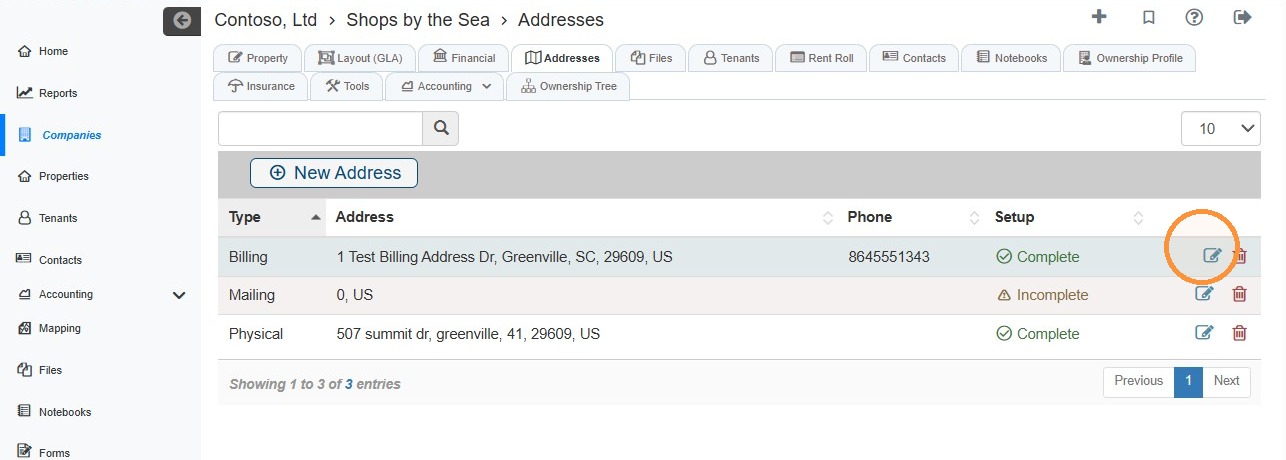
6. SelectUpdate the Paymentaddress Optionsinformation > Select fromSave the dropdown menu.Address.
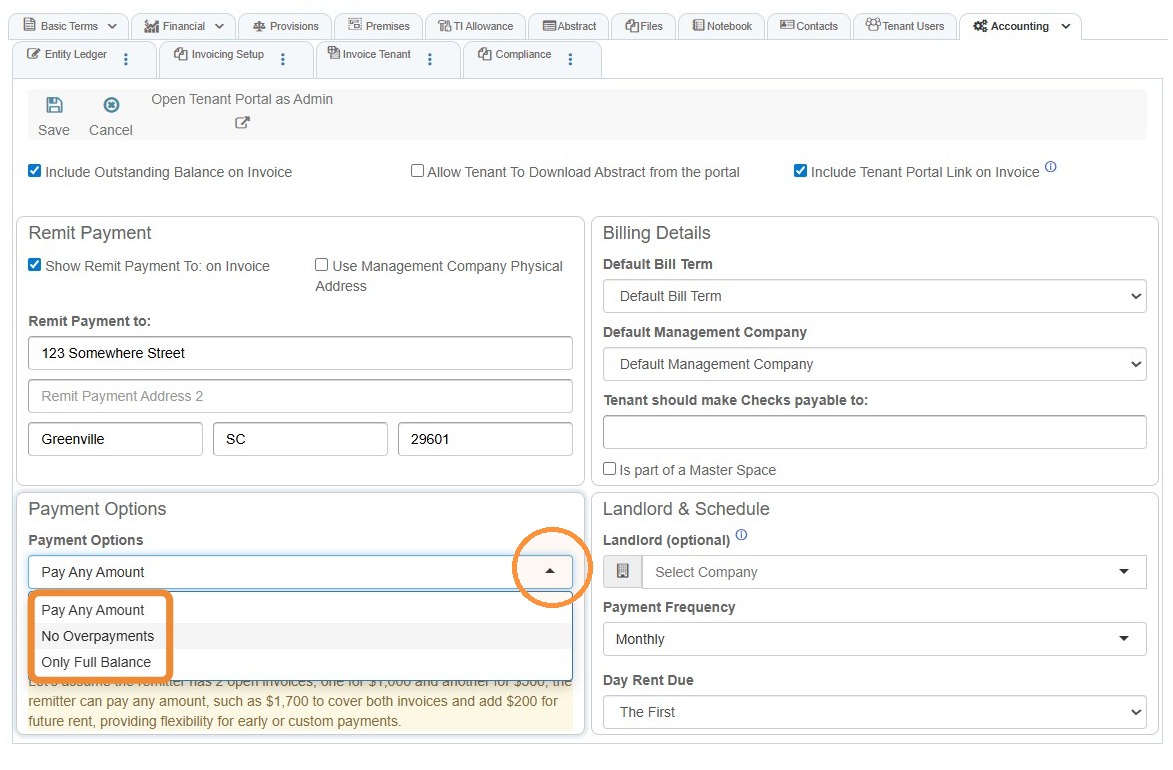
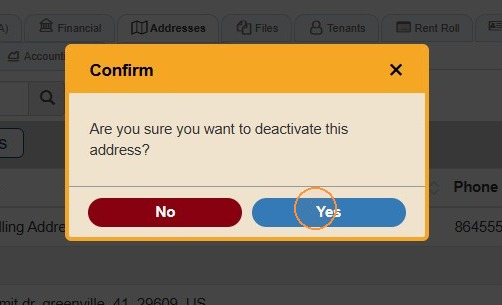
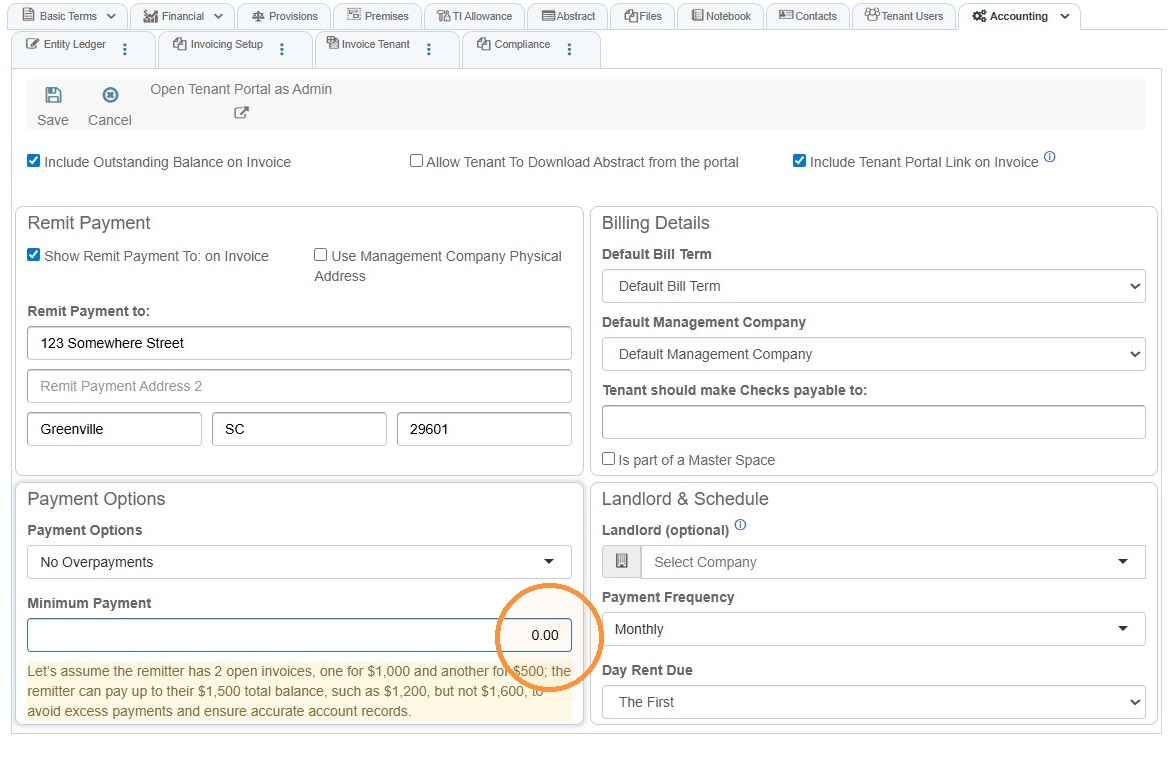
7. Select the Minimumtrash Paymentcan icon to adddelete athe minimum payment requirement.address.
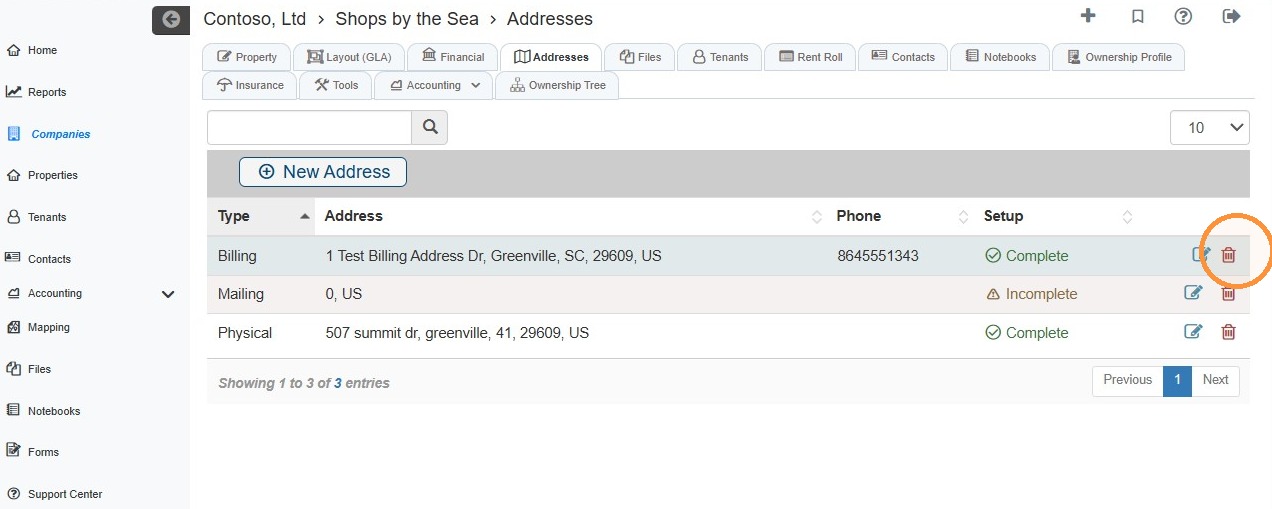
8. Complete theSelect Billing DetailsYes andto Landlordconfirm & Schedule information.deactivation.
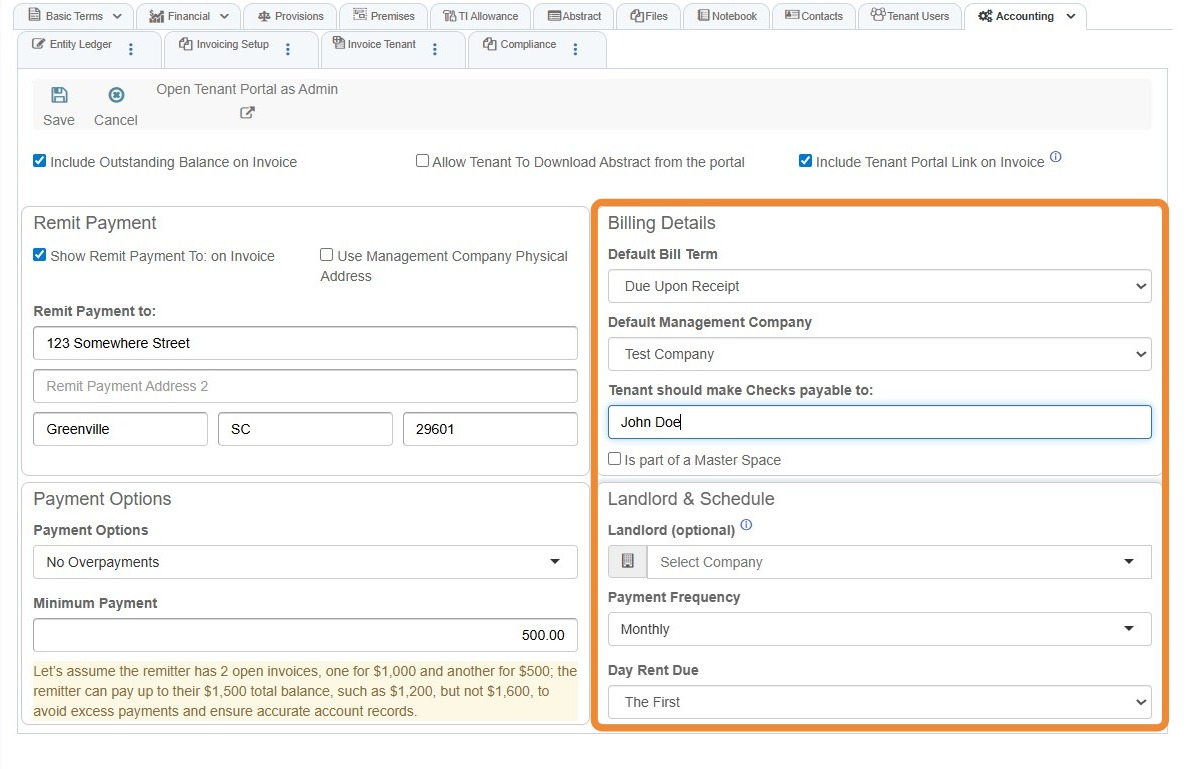
9. Select Save.