Tenant Invoicing Setup
Tenant Invoicing Setup
This guide showsexplains how to manageconfigure tenant addressesinvoicing so billing,invoices mailing,show the correct remit-to address, payment options, minimum payment rules, and physicalbilling/landlord locations (and their phone numbers) stay accurate and up to date.details. It walks you throughfrom finding a tenant,tenant addingto aopening newInvoicing address, editing existing details,Setup and deletingchoosing anpreferred addresscheckboxes withand confirmation.dropdowns. Follow it to ensure communicationsinvoices andare recordsaccurate, pointpayments go to the correctright location.
Tip:place, -and Addressesbilling =requirements Whereare the vendor is located. Use this tab for billing, mailing, or physical addresses. A phone number entered here is associated with that specific location.enforced.
Navigating to TenantInvoicing AddressesSetup
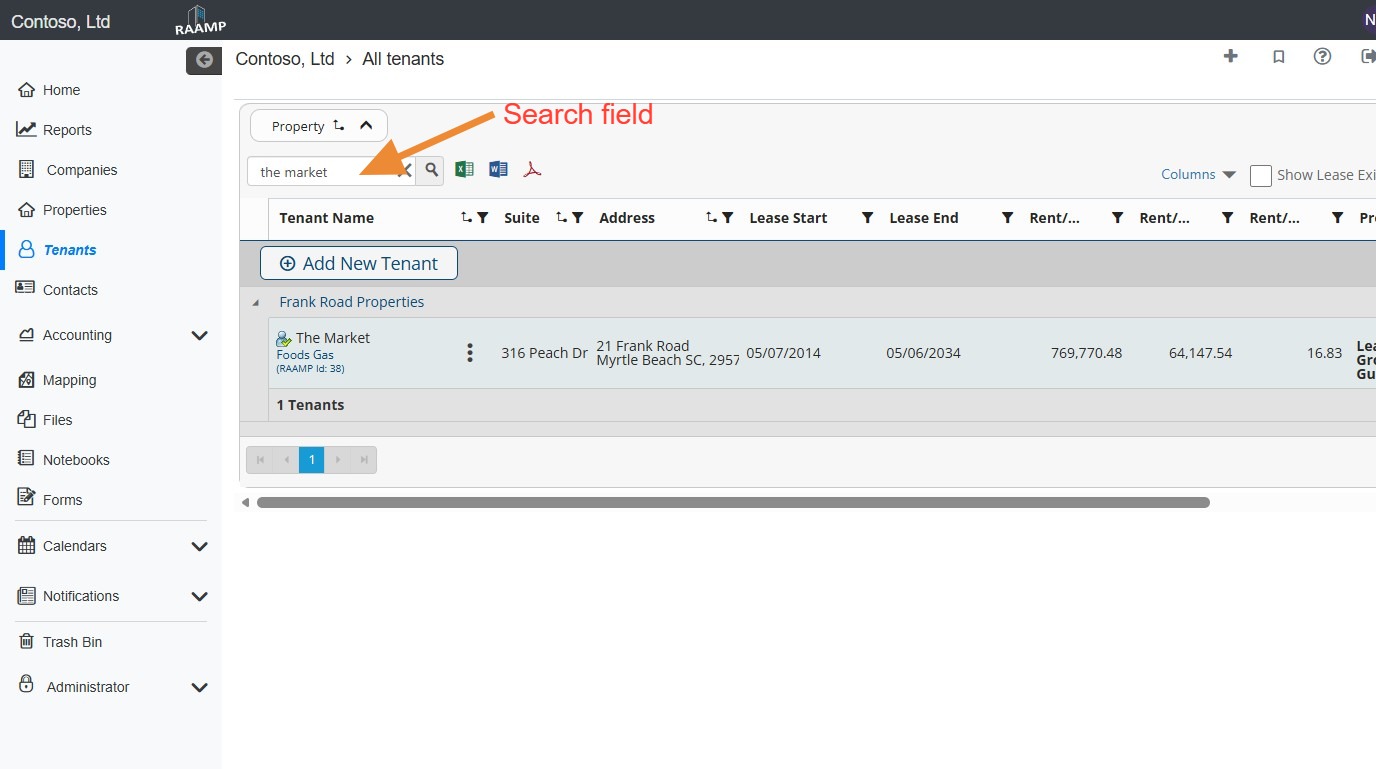
1. OnFrom the Homenavigation page,menu, locate theselect tenantTenants..
NOTE: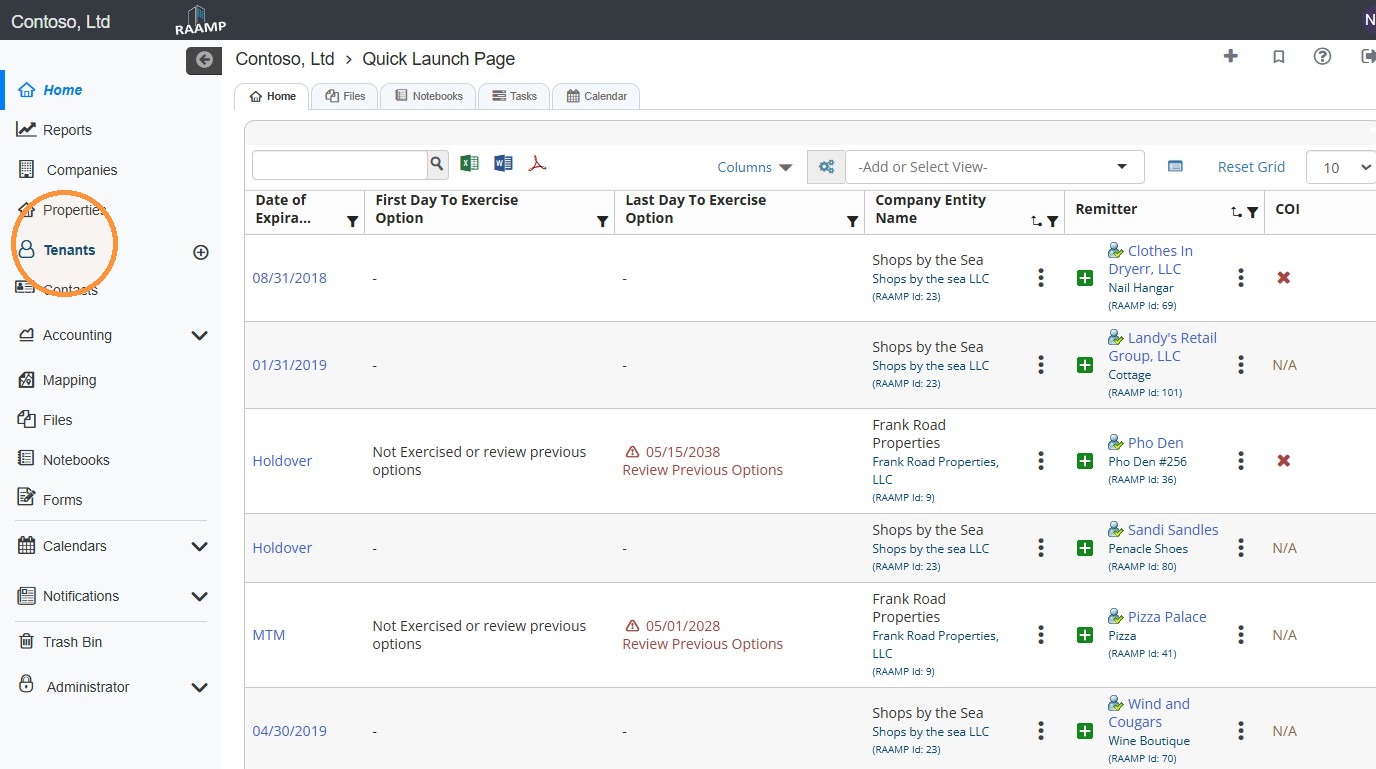
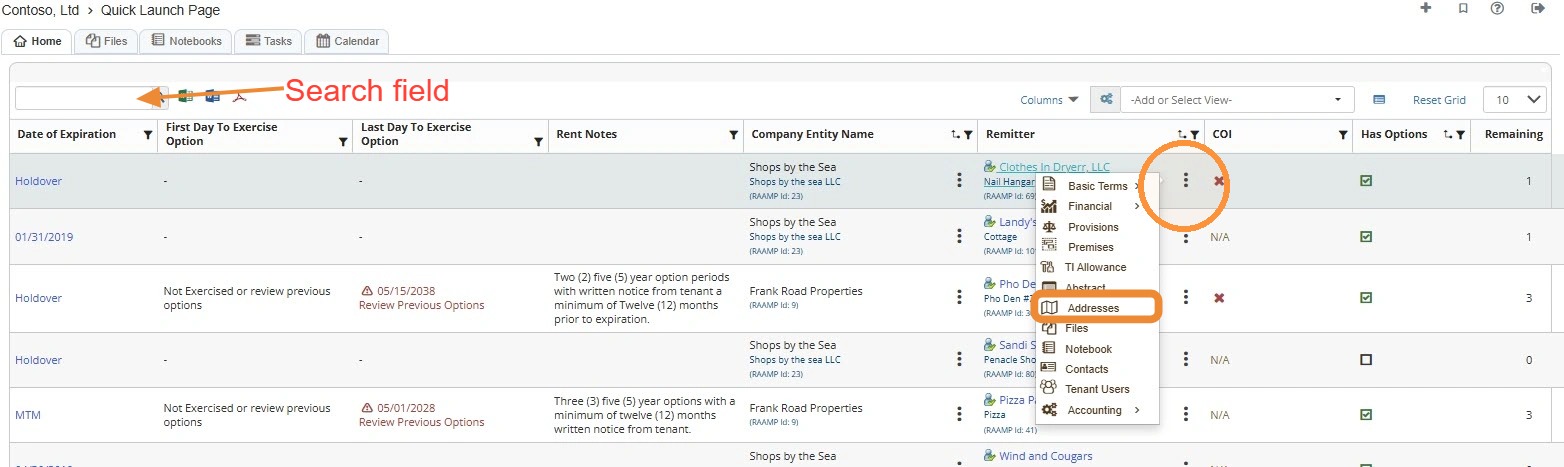
2. You can use the search field to quickly locateLocate the tenant.
HowNOTE: toYou Addcan alocate Newthe Address
2.Tenant Selectquickly Newby Addresssearching for it..
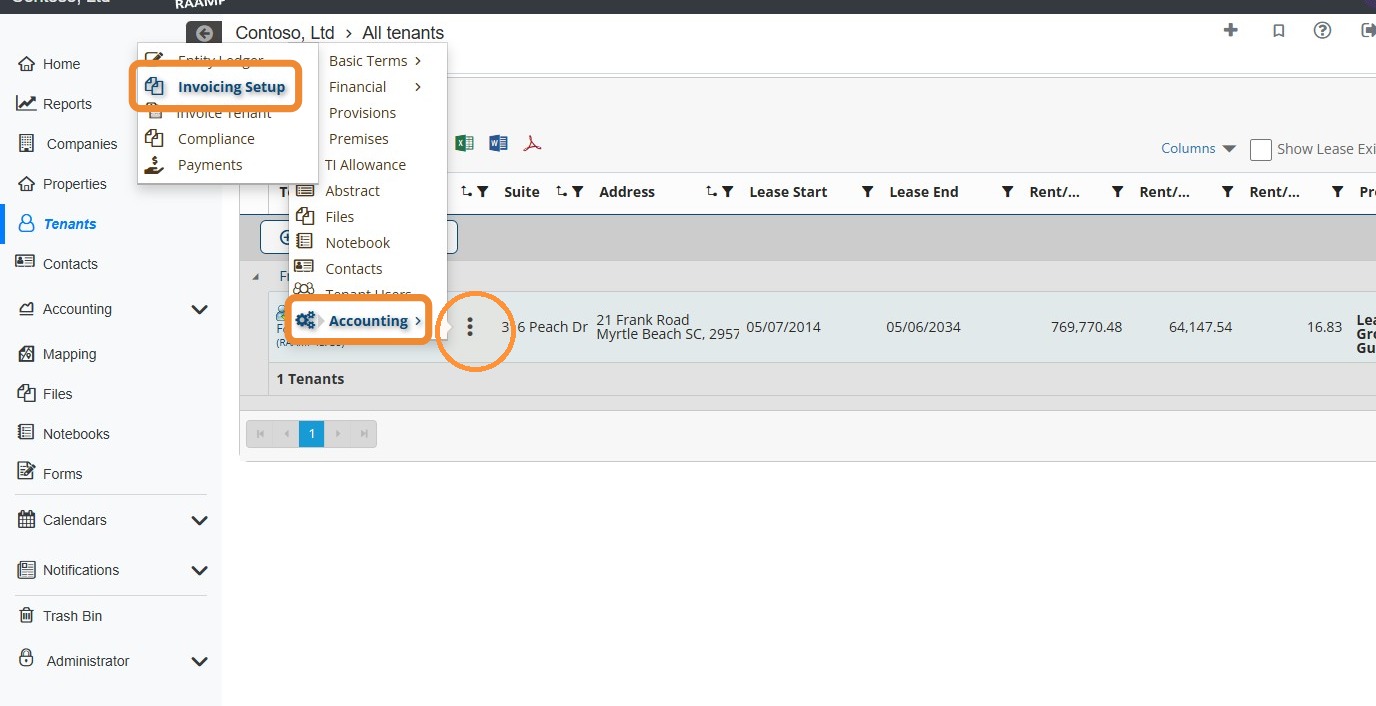
3. Select the tenant's Addressthree Typedot menu. > Select Accounting > Select Invoicing Setup.
How to Setup Invoicing
4. Select the preferred checkbox(es).
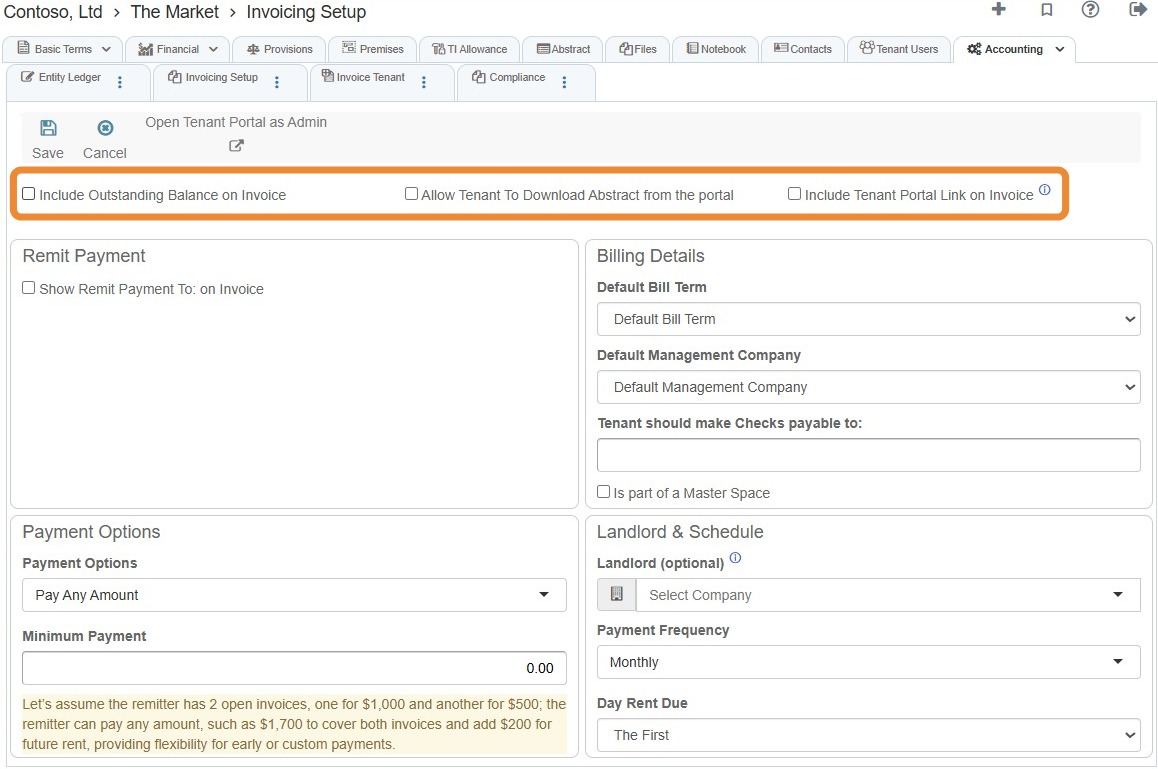
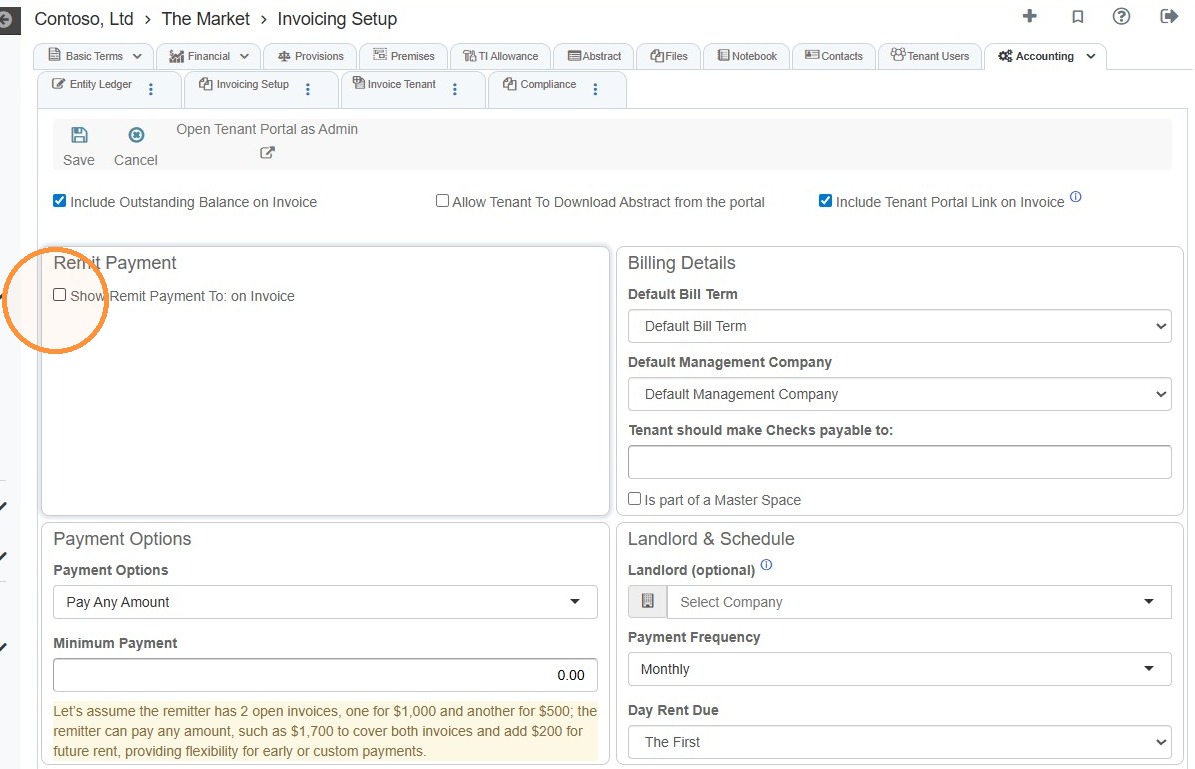
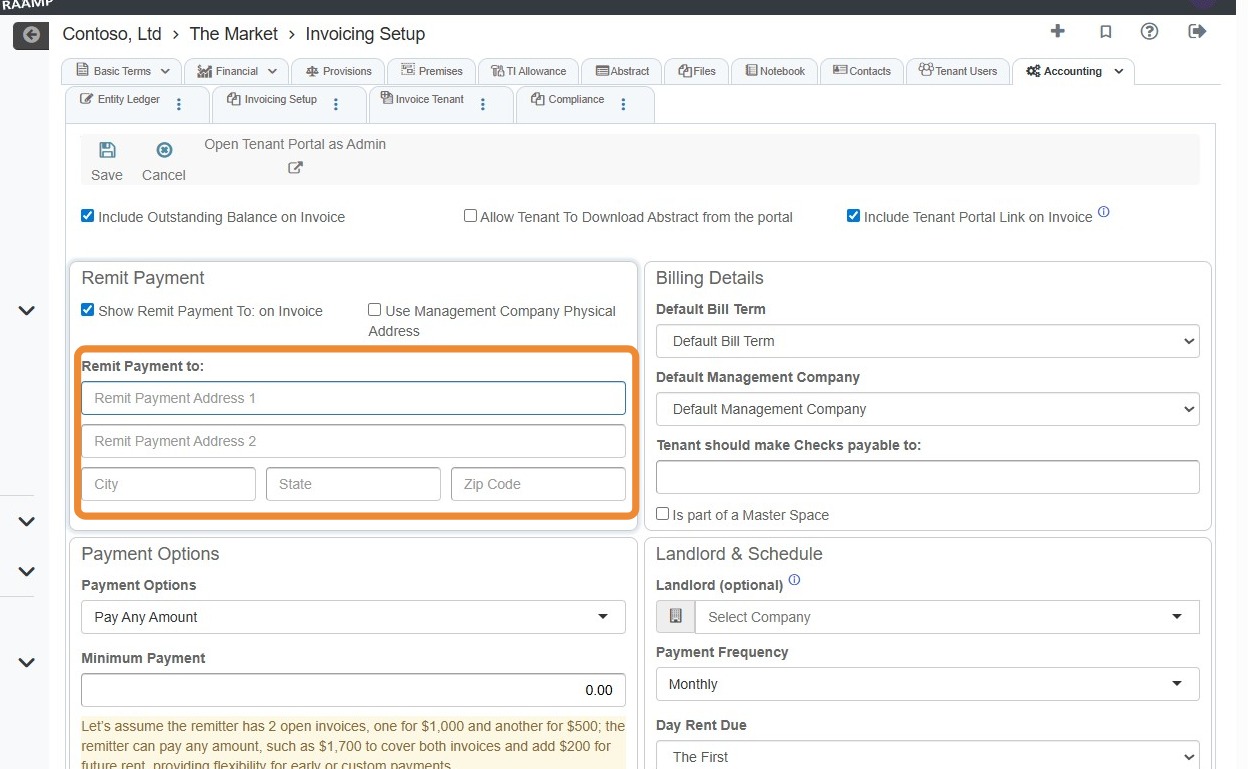
5. Select the Show Remit Payment to: on invoice checkbox.
NOTE: For the remit payment to address to auto-fillautomatically fill in, it must be entered on the tenant's invoiceaddresses setuptab. screen,
If you must select OtherUse Management Company Physical Address, you must enter the management company's physical address on the company's addresses tab and enter Remit Payment asset the label.management company.
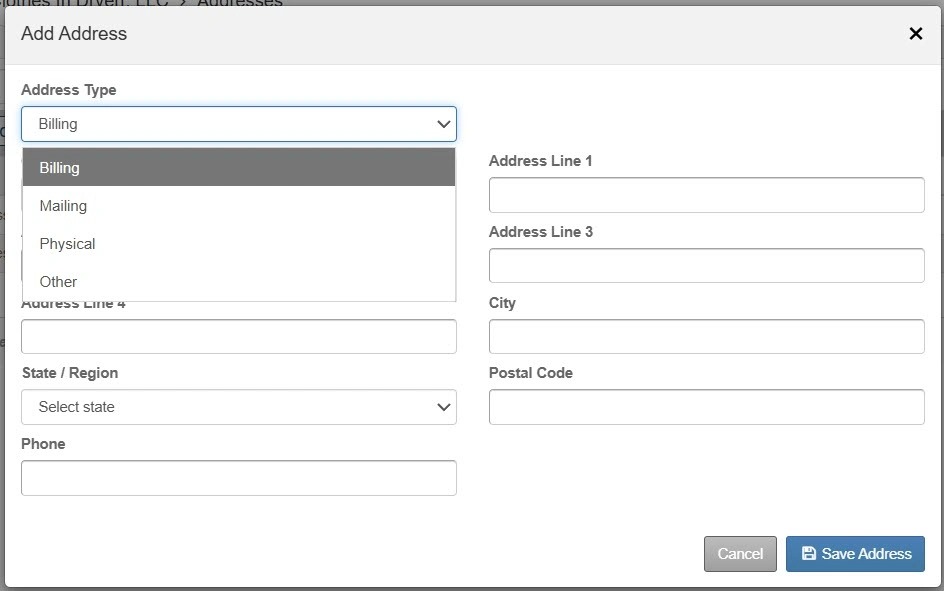
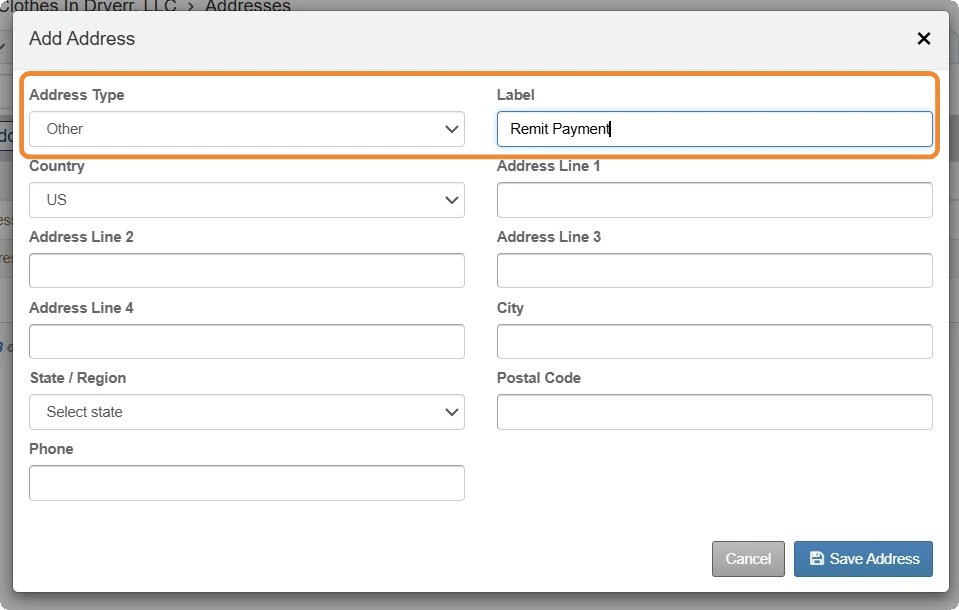
4.6. Enter theSelect addressPayment Options information > Select Save Address.
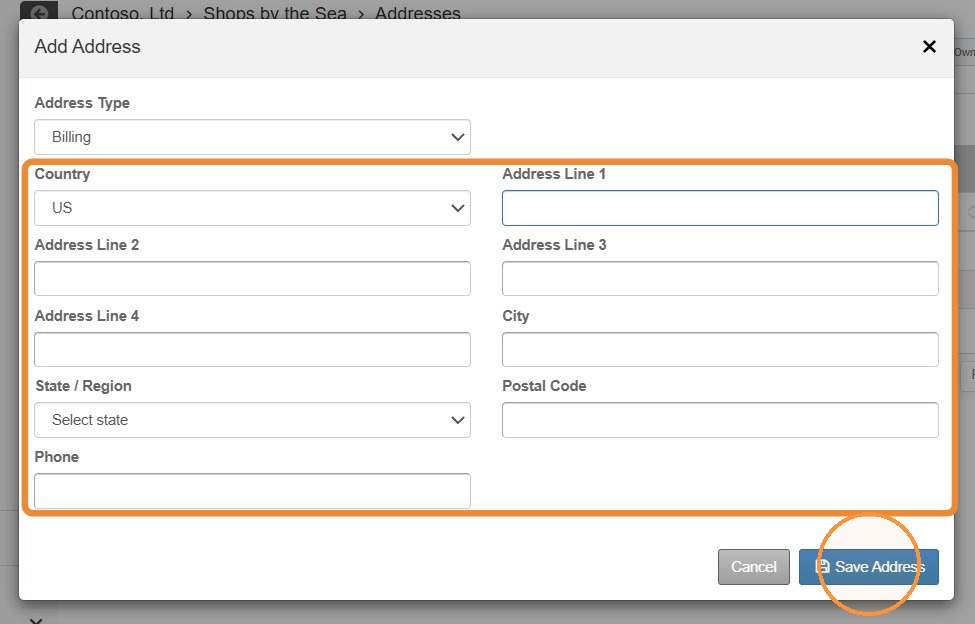
How to Review and Delete/Edit Address Information
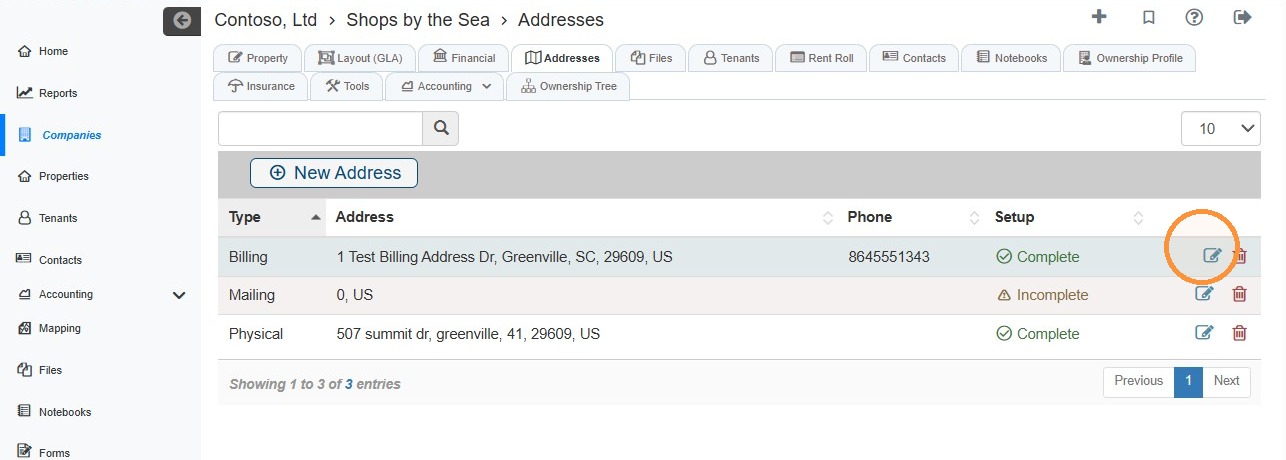
5. Selectfrom the editdropdown menu. icon for the address you need to edit.
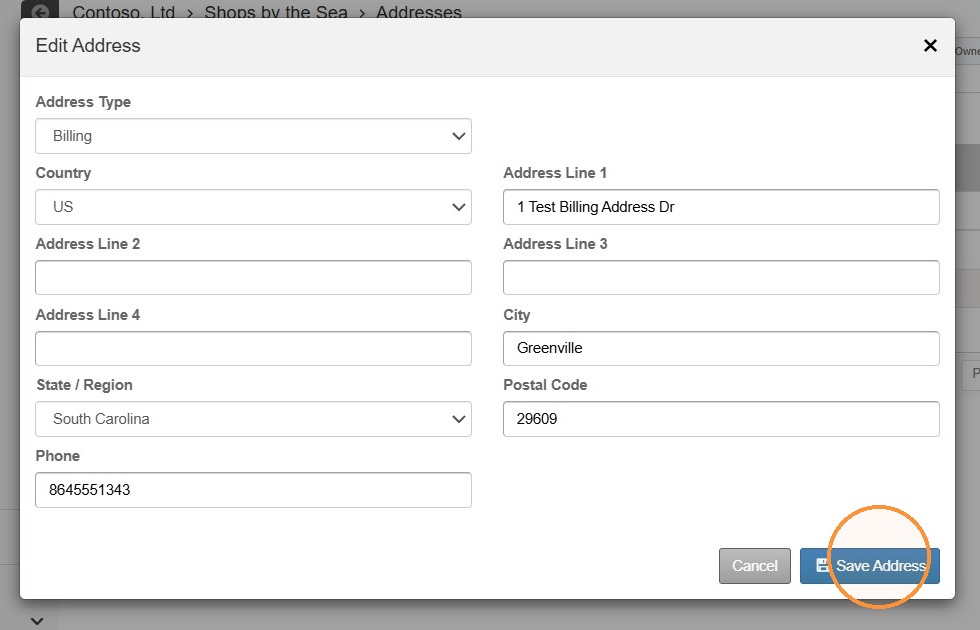
6. Update the address information > Select Save Address.
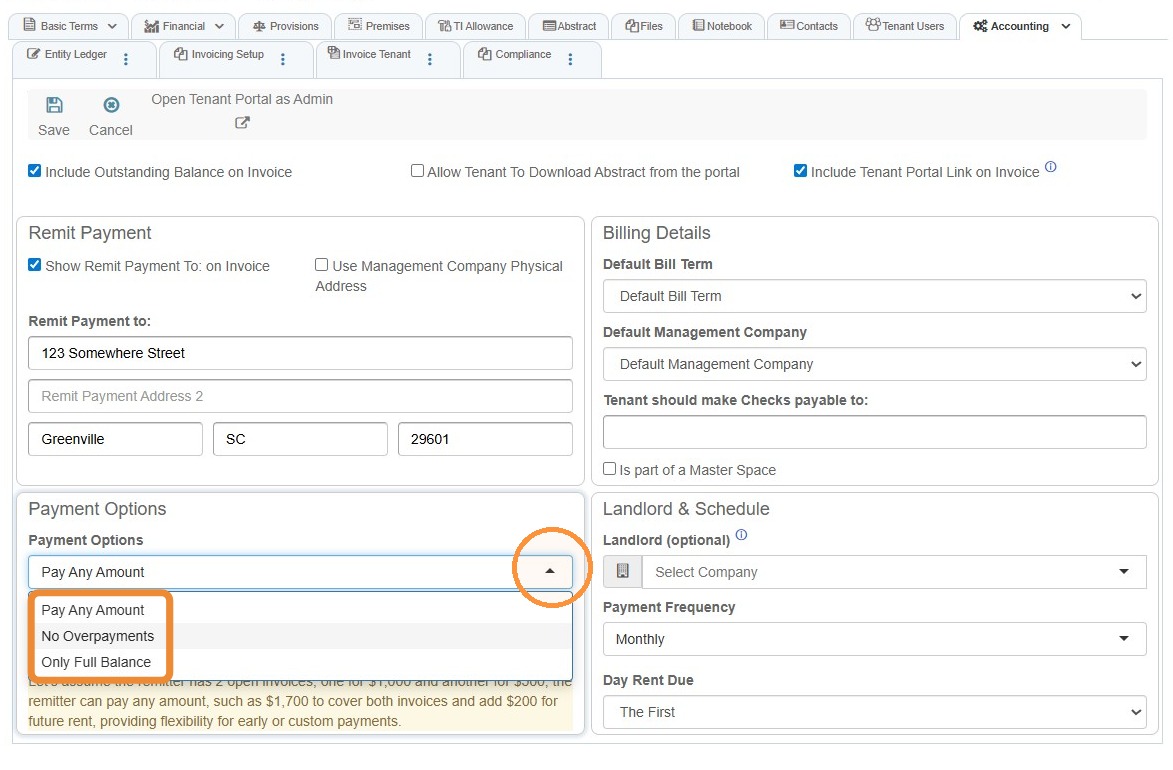
7. Select theMinimum trash canPayment icon to deleteadd thea address.minimum payment requirement.
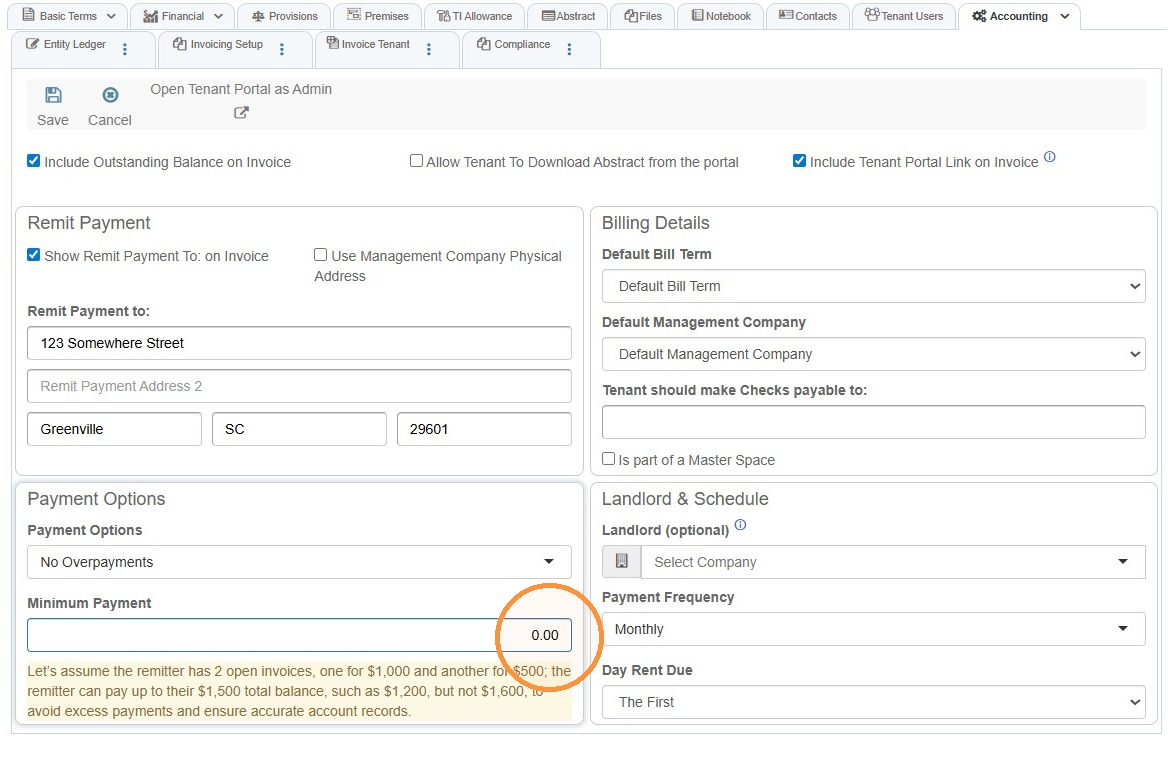
8. Complete the Billing Details and Landlord & Schedule information.
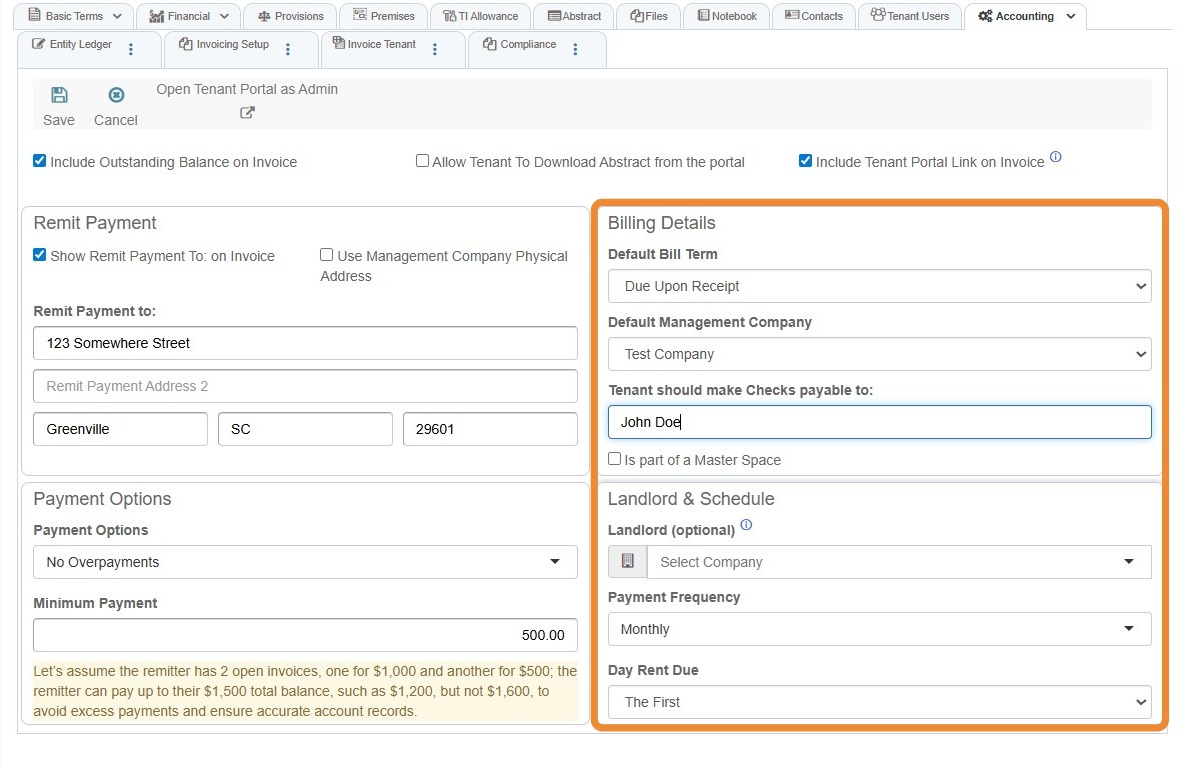
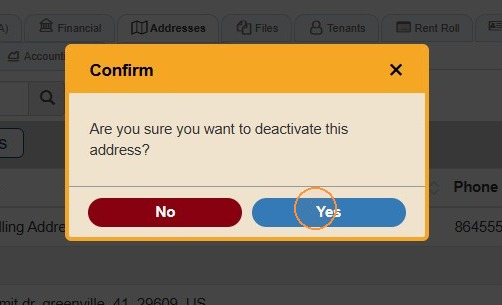
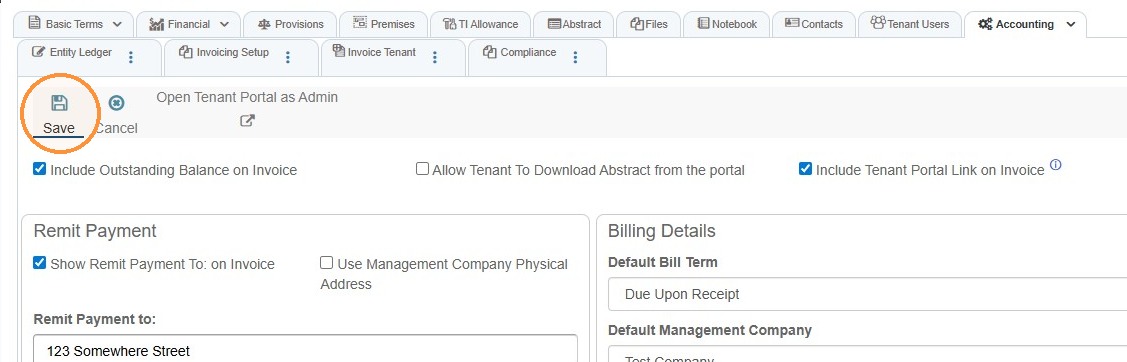
9. Select YesSave. to confirm deactivation.